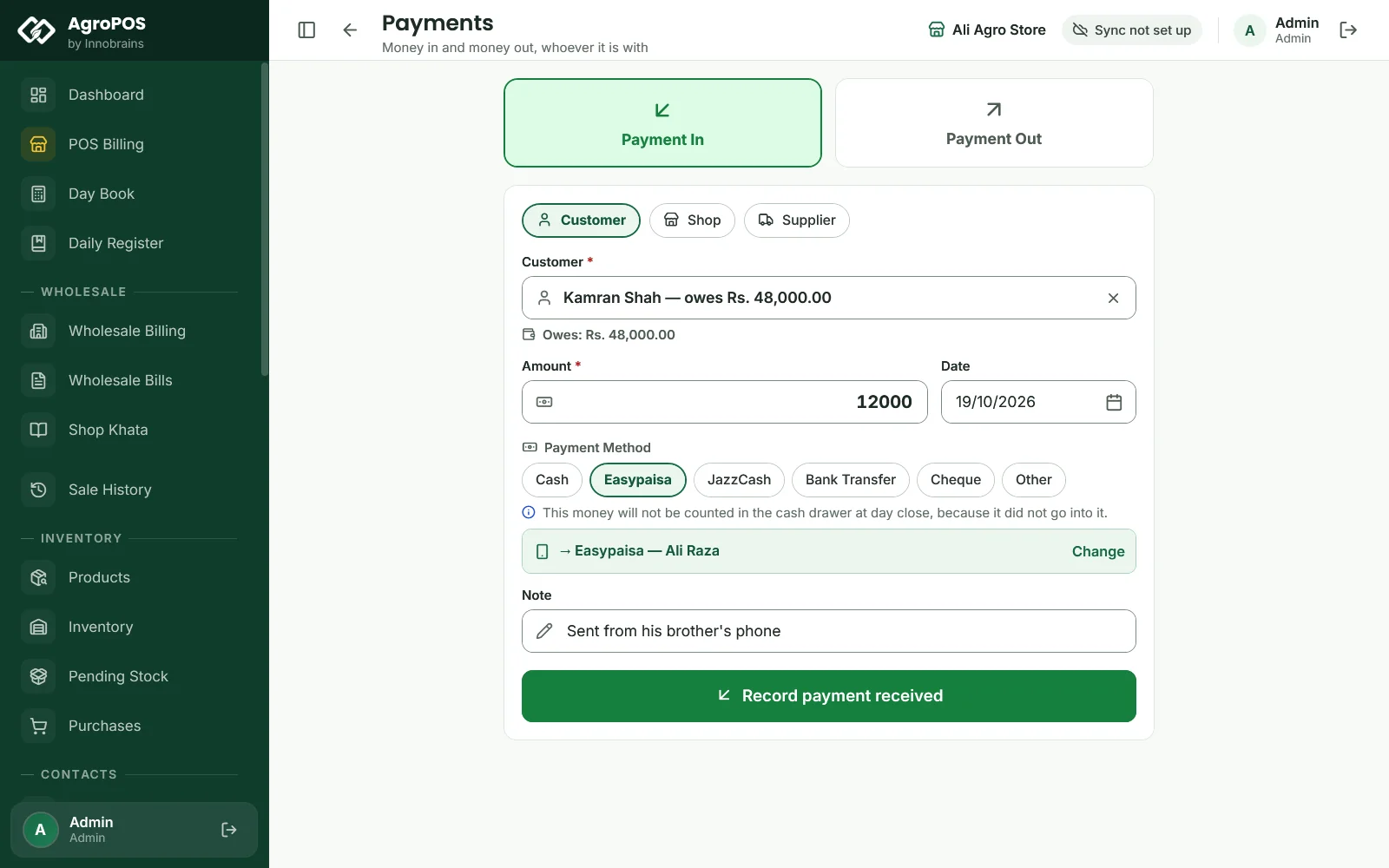
Not all money comes with a bill. A farmer sends his udhaar through his brother's Easypaisa, the owner pays Fauji Fertilizer's dealer by bank transfer, a regular customer borrows Rs 2,000 for diesel, the labour is paid for unloading a DAP truck. Payments records all of these on one page. Party Settlement handles the case where a customer pays one of your suppliers directly. This guide covers both, and what each entry changes.

Swipe to see the whole screen · tap to close
Who can use Payments
Payments is under FINANCE for every standard role, Cashier included ("Take a recovery payment"). An expense or a loan to a customer also needs "Record expenses", and paying a supplier or taking money back from one needs "Add and edit suppliers", so a standard Cashier sees only money in from a customer or a shop and money out to a shop. Party Settlement is for the Store Manager and the Admin, and only when it is switched on (below).
How to record a payment
- Open Payments.
- Choose Payment In or Payment Out.
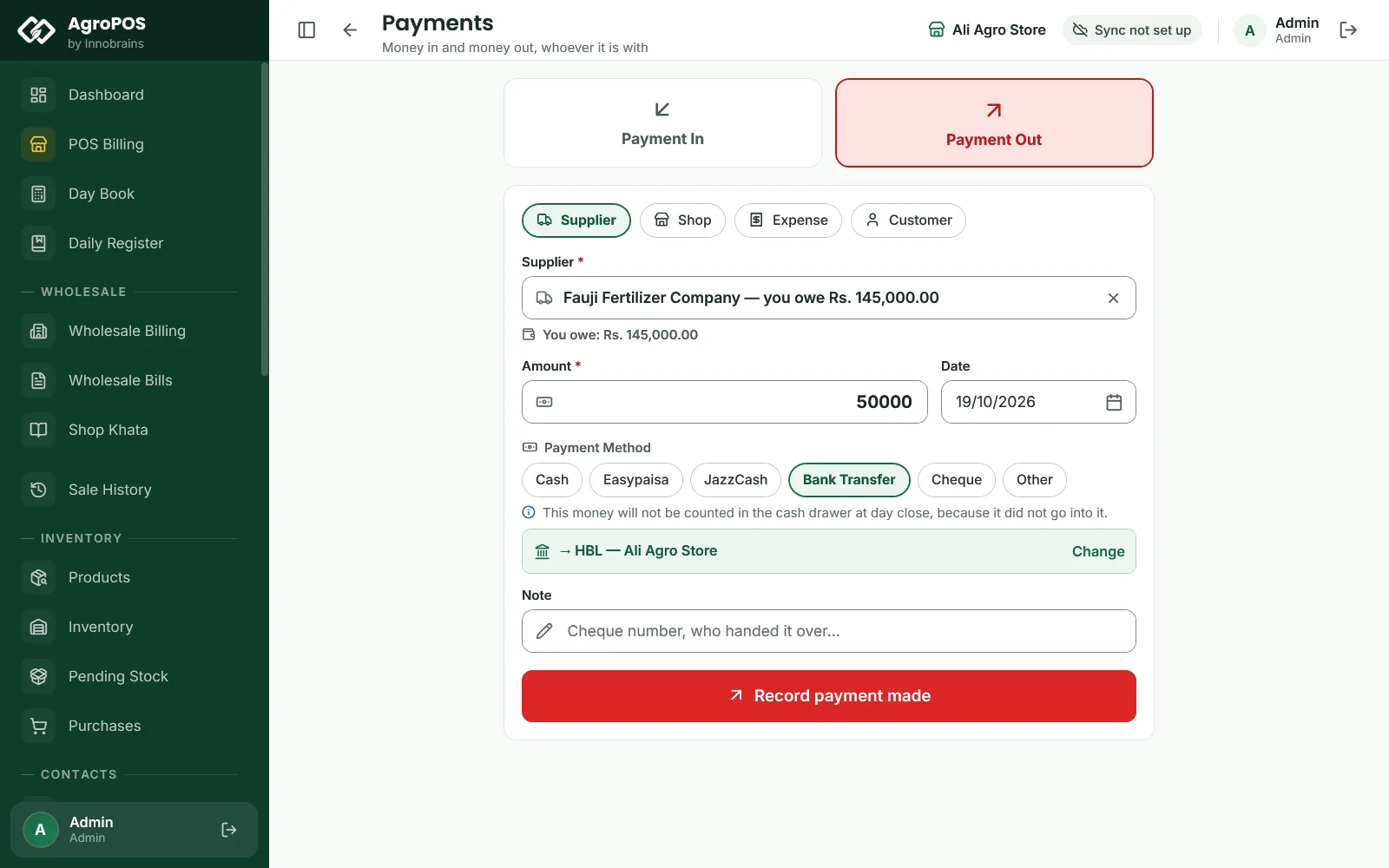
- Choose who it is with: Customer, Shop or Supplier for money in; Supplier, Shop, Expense or Customer for money out.
- Type part of the name and pick the party. AgroPOS shows where they stand, such as "Owes: Rs. 48,000.00" or "You owe: Rs. 1,45,000.00". For an expense, type What for?, such as "Labour".
- Type the Amount, and change the Date if the money moved on an earlier day.
- Choose the Payment Method: Cash, Easypaisa, JazzCash, Bank Transfer, Cheque or Other (Alt+1 to Alt+6). With posting to accounts on, the method's account is filled in; Change picks another.
- Add a Note, such as the cheque number or who handed it over, and click Record payment received or Record payment made (Ctrl+Enter).
AgroPOS says "Received Rs. …" or "Paid Rs. …" and clears the form for the next one.
Swipe to see the whole screen · tap to close
What each choice records
| Choice | What it does |
|---|---|
| In ← Customer | A recovery: the customer's khata goes down, settling their oldest bills first, and their payment date is credited. It is dated on the day in the Date box. |
| Out → Customer | A cash loan: the customer's khata goes up ("Cash Loan" in the Ledger). The credit limit is checked. |
| Out → Supplier | A supplier payment: what you owe goes down, settling their oldest purchases first. |
| In ← Supplier | Money a supplier gives you, such as a refund: what you owe them goes up again. With posting to accounts on, wallet or bank money goes into the account shown. |
| In / Out ↔ Shop | A payment on a shop's khata, with its payment method and, for wallet or bank money, its account. |
| Out → Expense | An expense, with What for? as its category. |
In the Day Book, cash recoveries, loans, supplier payments, cash paid to shops and cash expenses all count in the drawer. The other methods are listed as money that did not go into the drawer.
Cheques on the Payments page
With the Cheque Module on, a customer or a shop paying by Cheque opens Cheque details: the cheque goes into the Cheque Register, and the khata moves only when you mark it cleared. A cheque you give a supplier is recorded at once as a supplier payment by cheque; it is not kept in the register. A cheque from a supplier cannot be taken here: record it as a bank transfer once it has cleared. See Cheques.
Party Settlement: a customer pays your supplier
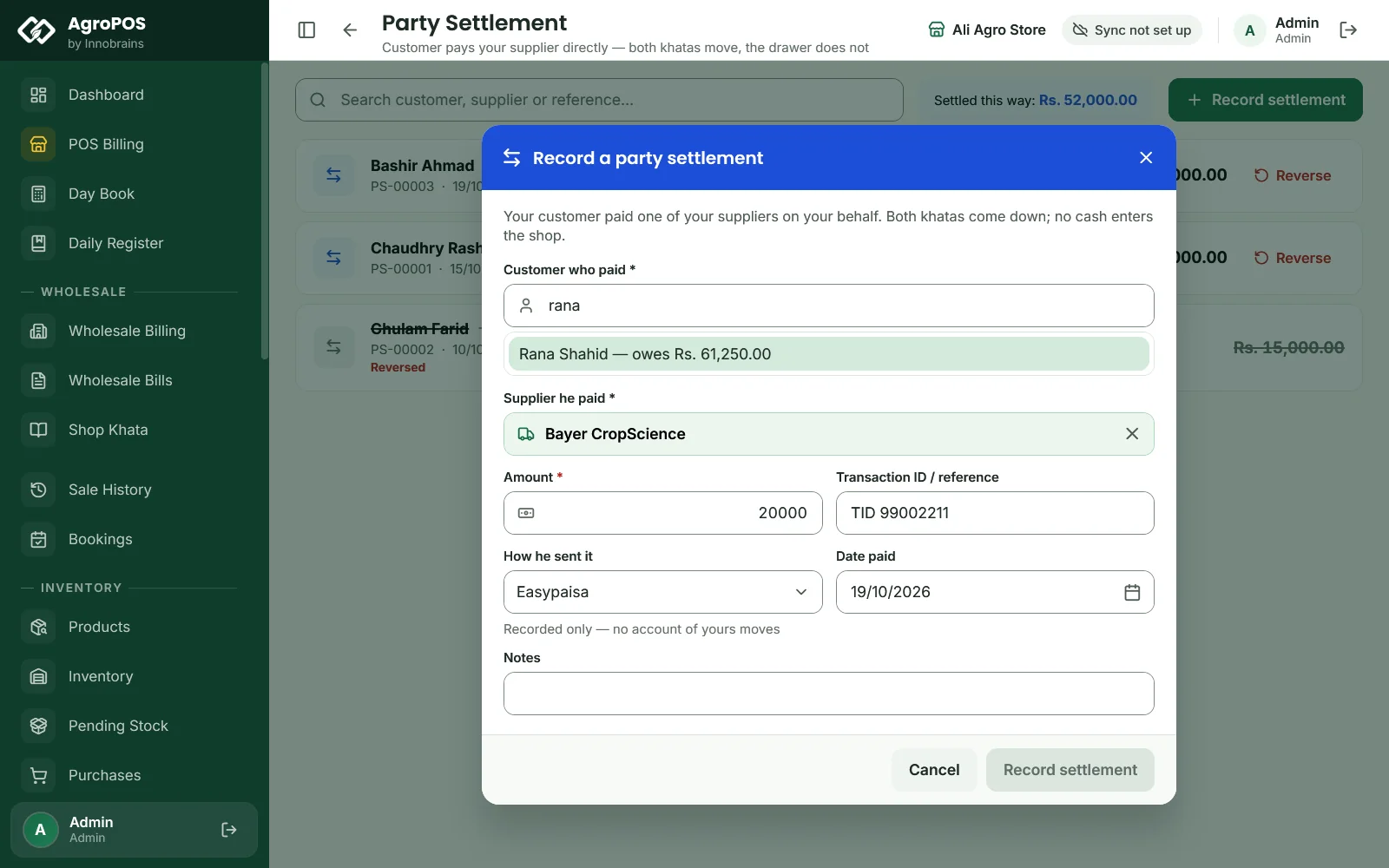
Sometimes you tell a farmer who owes you Rs 20,000 to send it straight to the company you owe, for example by Easypaisa to Bayer's dealer. No money comes through the shop, but two khatas must move: his goes down, and so does what you owe the supplier.
To switch it on: as the Admin, open Settings → Modules, and under Party & Settlement Modules switch on My customers pay my suppliers directly, then Save Settings. Party Settlement appears under FINANCE.
To record one:
- Open Party Settlement and click Record settlement.
- Choose the Customer who paid and the Supplier he paid.
- Type the Amount, the Transaction ID / reference (such as the Easypaisa TID), How he sent it and the Date paid.
- Check What this will do: each party's balance before and after. AgroPOS warns if the amount is more than the customer owed, or more than you owed the supplier.
- Click Record settlement. AgroPOS says "Both khatas have moved."
Swipe to see the whole screen · tap to close
Each settlement gets a number, PS-00001 and so on, and shows in both khatas. It never touches the drawer, the Day Book or your bank accounts. If the transfer bounces, click Reverse on it, add a reason, and both khatas move back. A customer and supplier who are the same linked party cannot be settled against each other.
Rules and tips
- Use Recovery rather than Payments for a customer's payment when you want the payment slip printed or a write-off: Payments prints no slip.
- A recorded payment cannot be edited or deleted. Check the party and the amount before you click Record.
- For an old payment, set the Date to the day the money came: the khata entry and any account entry carry that day.
- Write the TID or cheque number in the note, so you can match it with the bank later.
Common questions
Where do I record money I lent a farmer?
Payments, Payment Out, Customer. It goes on his khata as a cash loan, and the Day Book counts it as cash lent to customers.
Can I delete a payment I recorded by mistake?
No. Payments cannot be edited or deleted in AgroPOS. Record the opposite entry to correct it, for example a Payment Out to the same customer for a recovery entered twice.
Why does the Day Book not show a settlement?
A party settlement moves two khatas but no money comes into your drawer or account, so it is left out of the Day Book on purpose.
Is there a list of the payments I recorded?
Not on the Payments page. Each payment shows in the party's khata under Ledger or Supplier Ledger, and in the Daily Register under Received or Paid Out.
Related guides
Last updated 21 October 2026. Still stuck? Contact us or message us on WhatsApp.