Every rupee the shop spends that is not stock, such as rent, the munshi's salary, diesel for the generator, the WAPDA bill or the loader's wages, goes under Expenses. Recorded expenses keep the Day Book drawer right, come off the profit in Reports, and show in the Daily Register. This guide covers adding an expense, paying it from a wallet or bank, entering the expenses from before AgroPOS, and deleting a wrong entry.

Swipe to see the whole screen · tap to close
Who can record expenses
Expenses is under FINANCE in the menu for the Store Manager and the Admin ("Record expenses"). The same permission is needed to record an expense under Payments → Payment Out → Expense, with a free-text What for? such as "Labour for unloading", so a standard Cashier records expenses on neither page. Deleting an expense also needs "Close the day (count cash)", which the Store Manager and the Admin have as standard.
How to add an expense
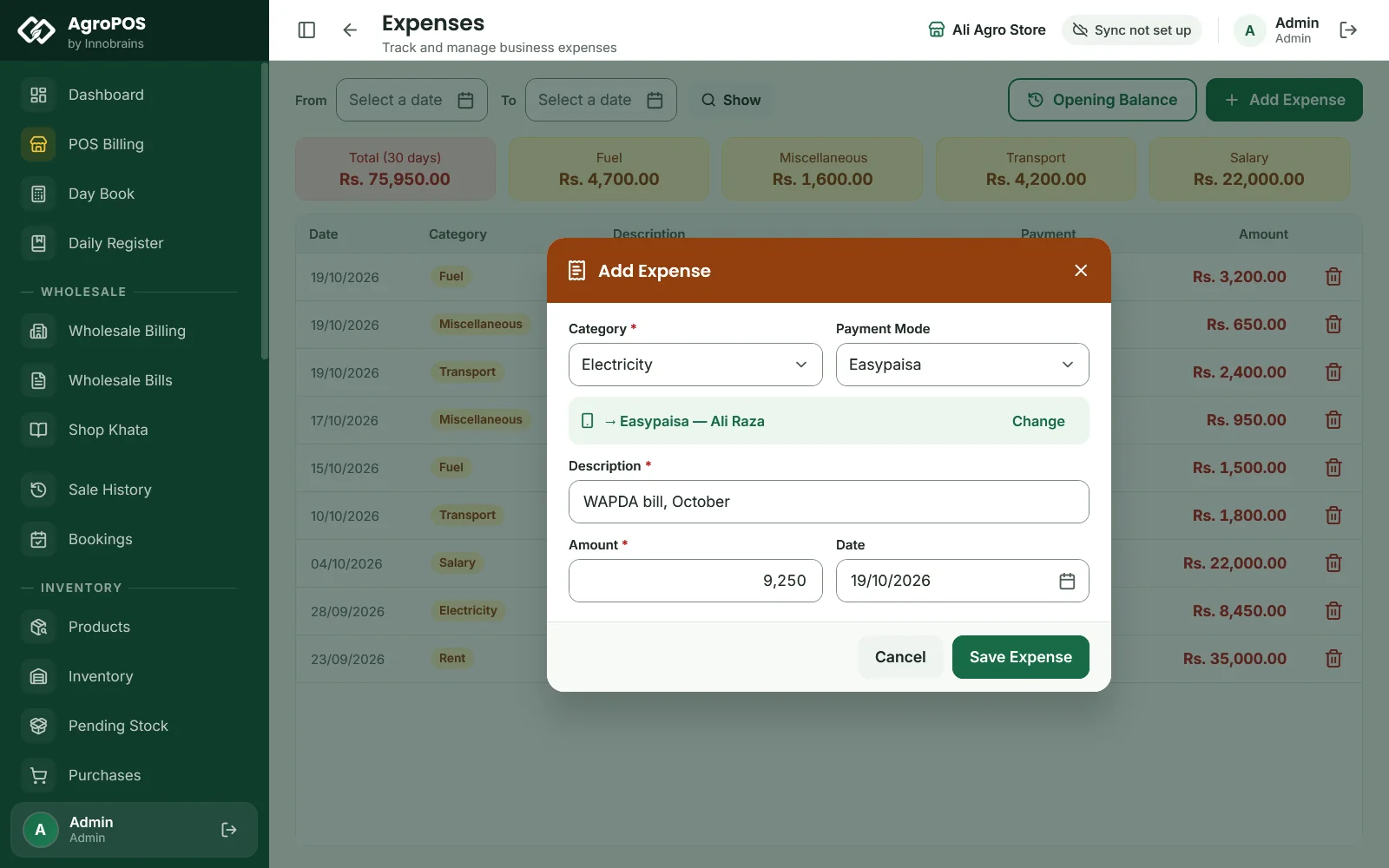
- Open Expenses and click Add Expense.
- Choose the Category: Salary, Fuel, Transport, Electricity, Rent, Sale Return Refund, Miscellaneous or Other. A new expense starts on Miscellaneous.
- Choose the Payment Mode: Cash, Easypaisa, JazzCash, Bank Transfer, Cheque or Other.
- Type a Description, such as "WAPDA bill, October", and the Amount.
- Leave the Date on today, or pick the day it was paid. Dates from 1 January 2020 up to today are allowed.
- Click Save Expense. AgroPOS says "Expense saved."
Swipe to see the whole screen · tap to close
The description and an amount above zero are required: an empty description shows "Required", and 0 shows "Amount must be greater than 0".
Paying an expense from a wallet or bank
When Post payments to wallets and accounts is on under Settings → Modules, an expense paid by Easypaisa, JazzCash, bank transfer, cheque or other shows an account box under Payment Mode, with the default account for that method. The expense is taken out of the account shown there, under Wallets & Banks; click Change before you save to choose another. A cash expense never touches an account: it comes out of the drawer.
Without that setting, the expense is recorded with its payment mode but no account balance changes. See Wallets and bank accounts.
How to enter expenses from before AgroPOS
A shop that starts AgroPOS in the middle of the year may want the year's profit to include what was already spent. Instead of typing months of old bills one by one:
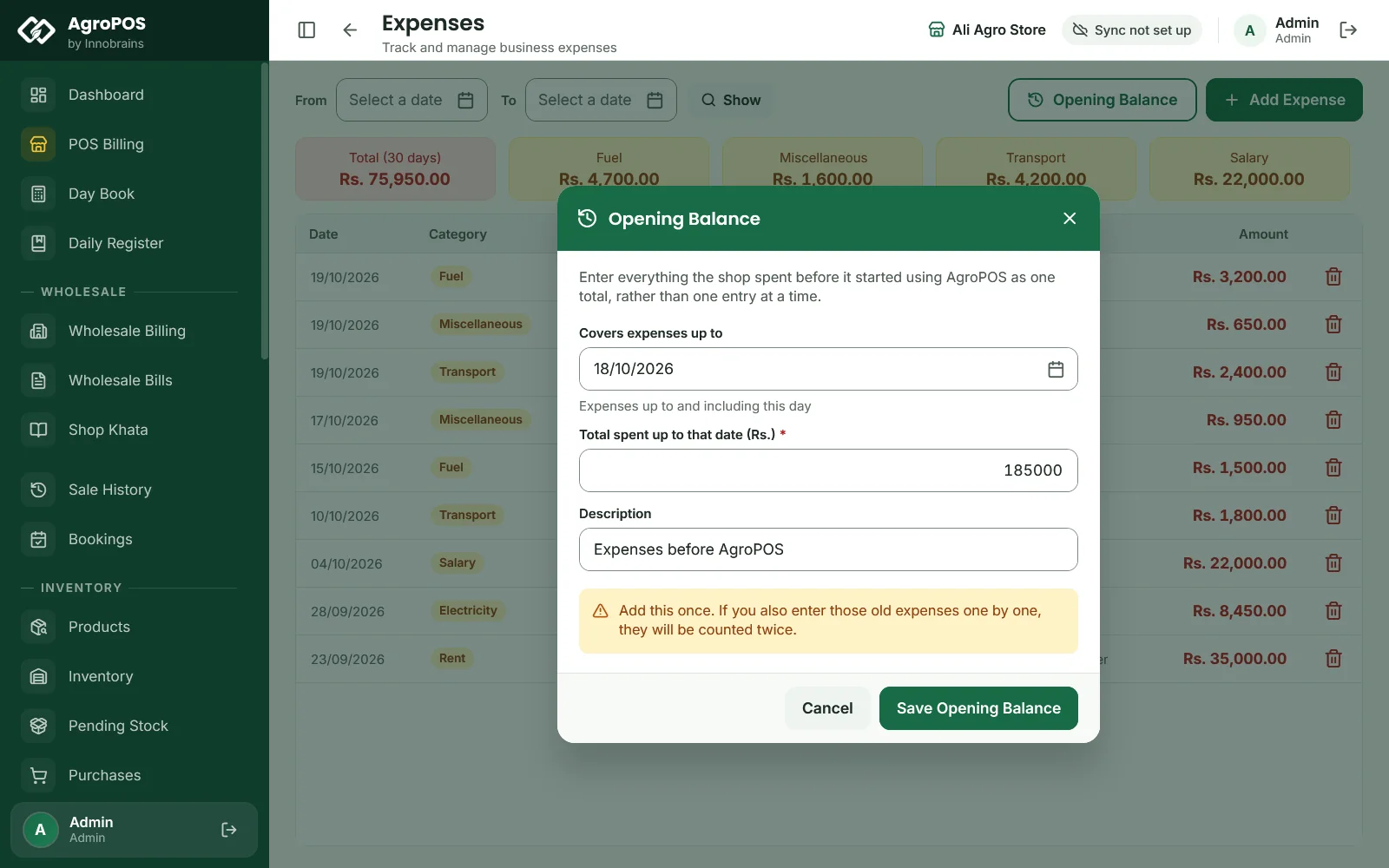
- Open Expenses and click Opening Balance.
- In Covers expenses up to, pick the last day the total covers. It starts on yesterday.
- Type the total in Total spent up to that date (Rs.), for example
185000. - Keep or change the Description, "Expenses before AgroPOS".
- Click Save Opening Balance.
Swipe to see the whole screen · tap to close
It is saved as one expense in the category Opening Balance, on the day you chose, and never touches the drawer or an account. Add it once: if you also enter the same old expenses one by one, they are counted twice.
How to find and check expenses
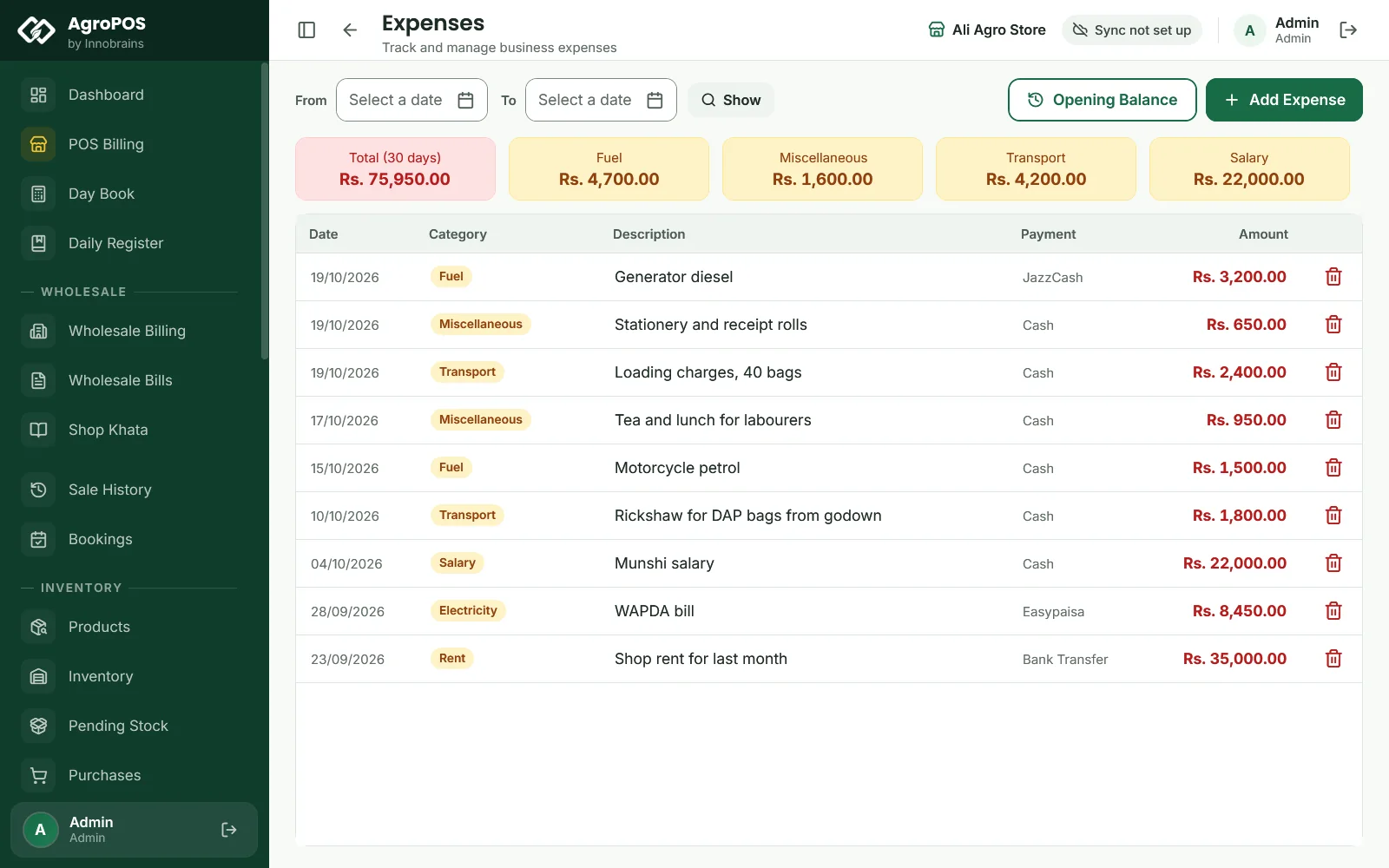
The list opens on the last 30 days, newest first, with the Date, Category, Description, Payment and Amount. The cards at the top show the Total (30 days) and a few of the categories in the list.
To look at another period, pick From and To and click Show; Last 30 days takes you back. A period with nothing in it says "No expenses in this period".
Two categories appear in the list without being chosen by hand: Write-off, when udhaar is written off under Recovery, and Opening Balance, from the step above. A cash refund on a sale return is recorded by itself as a Sale Return Refund expense.
How to delete a wrong expense
Expenses cannot be edited. To correct one, delete it and add it again:
- Click the bin icon on the row, or select the row and press Delete. The bin icon shows only for roles that may also close the day.
- Confirm with Delete.
If the expense had been taken out of a wallet or bank account, deleting it removes that entry too, and the account's balance is put right under Wallets & Banks.
Where an expense shows up
| Where | What happens |
|---|---|
| Day Book | A Cash expense comes off Expenses paid in cash on its date. Other payment modes are not in the drawer. |
| Wallets & Banks | Money out of the account shown on the expense, when posting to accounts is on |
| Daily Register | Every expense, whatever the payment mode, under Paid Out |
| Reports → Profit & Loss | Under SHOP EXPENSES, by category. Sale return refunds are left out there, because the return already reduces the sales. |
Rules and tips
- Enter an expense the day it is paid, with the right payment mode, so the evening count matches.
- Use the same words for the same thing, such as "Shop rent" every month, so the list is easy to read later.
- An expense dated in the past changes the Day Book of that past day.
- Stock bought for sale is a purchase, not an expense: enter it under Purchases.
- There is no search, Excel export or printout on the Expenses page. The Reports page has an Expenses report for any period.
Common questions
Can my cashier record an expense?
Not with the standard Cashier role. Recording an expense, on the Expenses page or under Payments, Payment Out, Expense, needs Record expenses, which the Store Manager and the Admin have. The owner can give it to another role under Roles & Permissions.
How do I change an expense I entered wrongly?
Delete it with the bin icon and add it again. Expenses cannot be edited.
Can I add my own expense categories?
No. The categories are fixed: Salary, Fuel, Transport, Electricity, Rent, Sale Return Refund, Miscellaneous and Other. Put the detail in the description, such as "Generator diesel" under Fuel.
Why does my expense not show in the Day Book?
The Day Book counts only cash. An expense paid by Easypaisa, JazzCash, bank or cheque is not in the drawer, so it does not change the count.
Do expenses reduce my profit?
Yes. Profit & Loss in Reports takes every expense of the period off the gross profit, under Shop Expenses, except sale return refunds.
Related guides
Last updated 21 October 2026. Still stuck? Contact us or message us on WhatsApp.