What goes to the customer
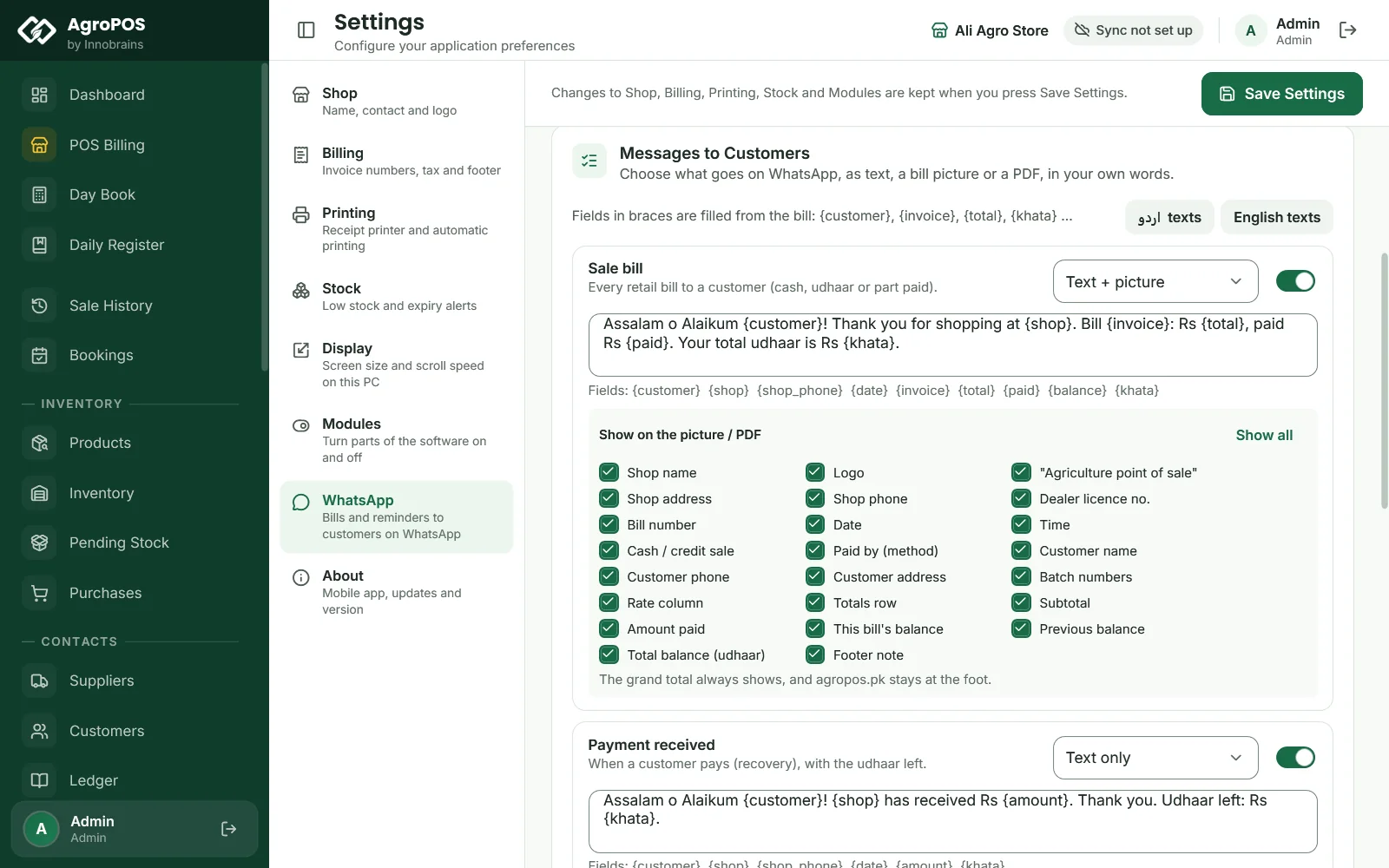
You switch on each message on its own, and choose what it carries:
- Every sale bill — cash, udhaar or part paid — with the total, what was paid, what is left and the customer's total udhaar now.
- Payment received — when a farmer pays, he gets the amount and the udhaar left, so there is no argument later.
- Udhaar reminders — once a day, to customers whose udhaar is older than the days you set and above the amount you set, again every few days until they pay.
- Returns, wholesale bills and bookings — goods taken back, a wholesale bill to a shop, a booking made, an advance added or goods lifted.
Each one goes as text, or text with the bill as a picture, or with the bill as a PDF. The words are yours: write them in English or Urdu, with fields such as {customer}, {invoice}, {total} and {khata} that AgroPOS fills from the bill.

Swipe to see the whole screen · tap to close
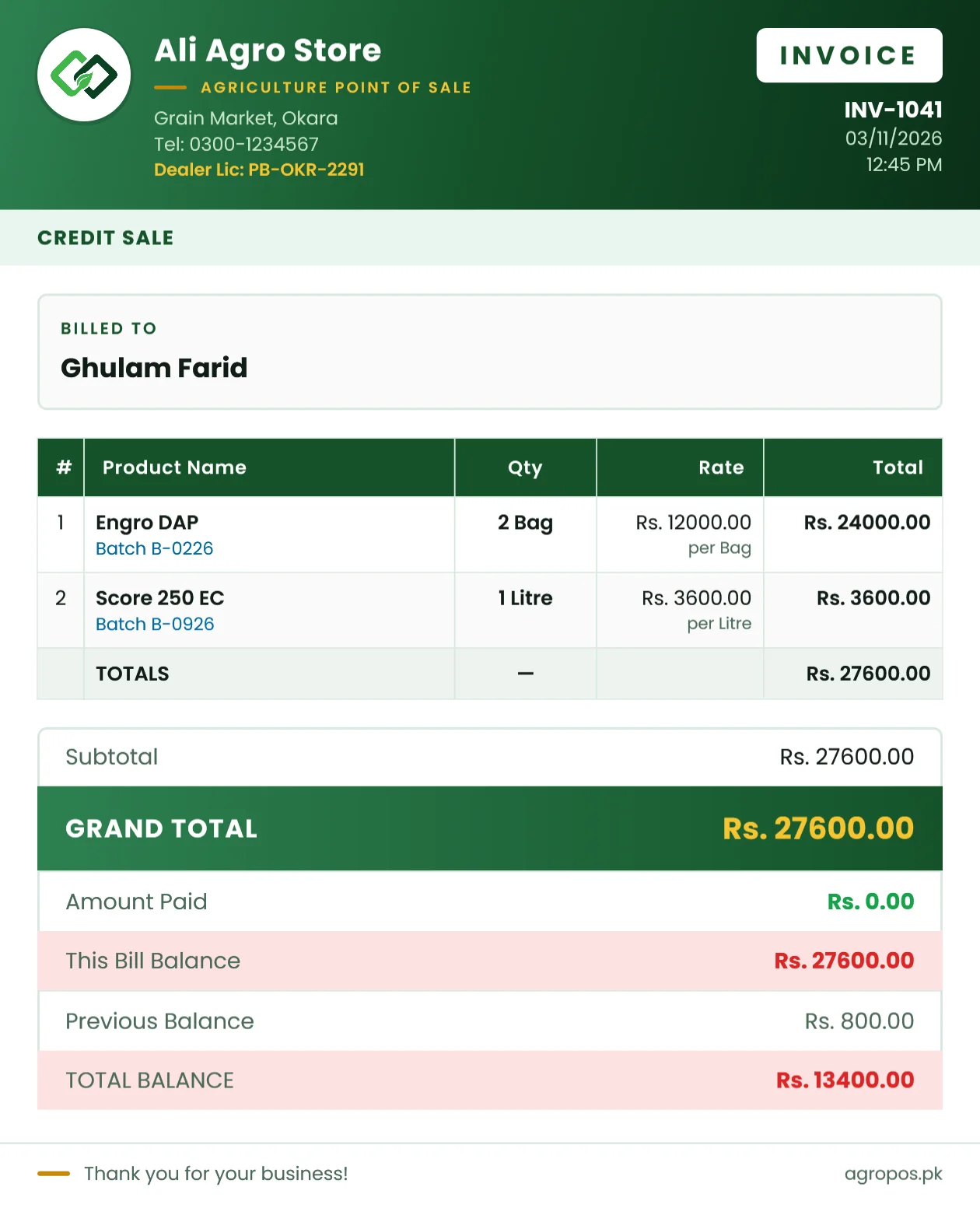
The same bill you print, on the customer's phone
The picture and the PDF look like the A4 invoice AgroPOS prints — your letterhead with the logo, name, address and phone, the items with quantities in their own units (bags, litres, kilos), the grand total, what was paid and left, and the customer's balance — laid out for a phone screen. Customers forward it, keep it, and pay against it.
You decide what it shows: tick off any field for each message — even the shop's name, the rates, the batch numbers or the customer's balance.
Your own WhatsApp, linked in a minute
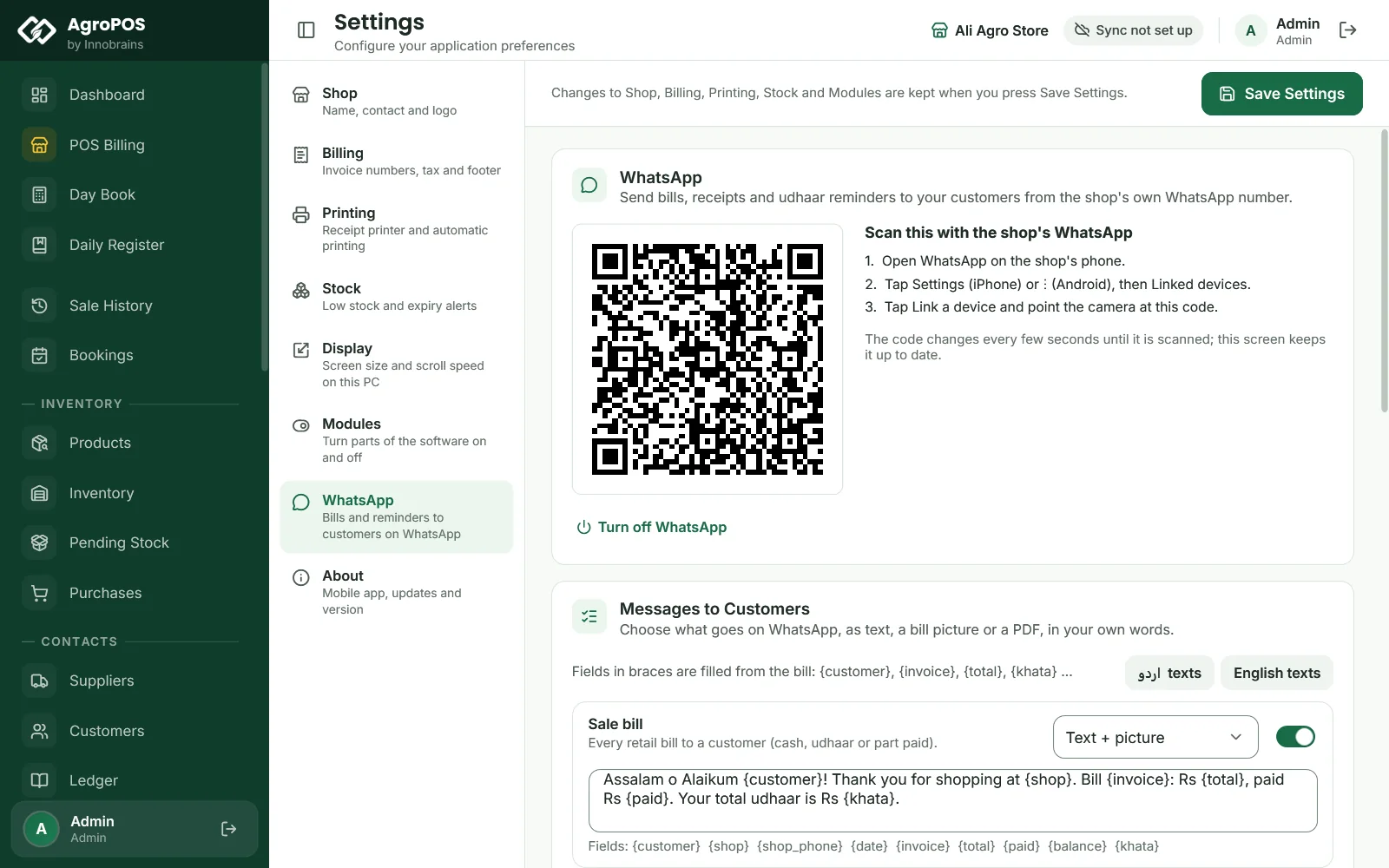
Messages go from the shop's own number — the one your customers already have saved. You link it once from Settings → WhatsApp, the way WhatsApp Web is linked: scan a QR code with the phone, or, without a camera, enter the number and type a code on the phone. Normal WhatsApp and WhatsApp Business both work.
Swipe to see the whole screen · tap to close
Works offline, and with AgroPOS closed
A bill is never held up by WhatsApp. When you save it, its message waits in AgroPOS; a background service on the shop PC sends it as soon as the internet is there — even if AgroPOS is closed, as long as the PC is on. In a Multi-Counter shop every till's bills go from the main counter's WhatsApp.
To keep your number safe, AgroPOS sends one message at a time with a pause you choose, stops at a daily limit, and keeps quiet at night (messages made late wait until the morning). A customer who replies STOP gets nothing more.
See what was sent, delivered and read
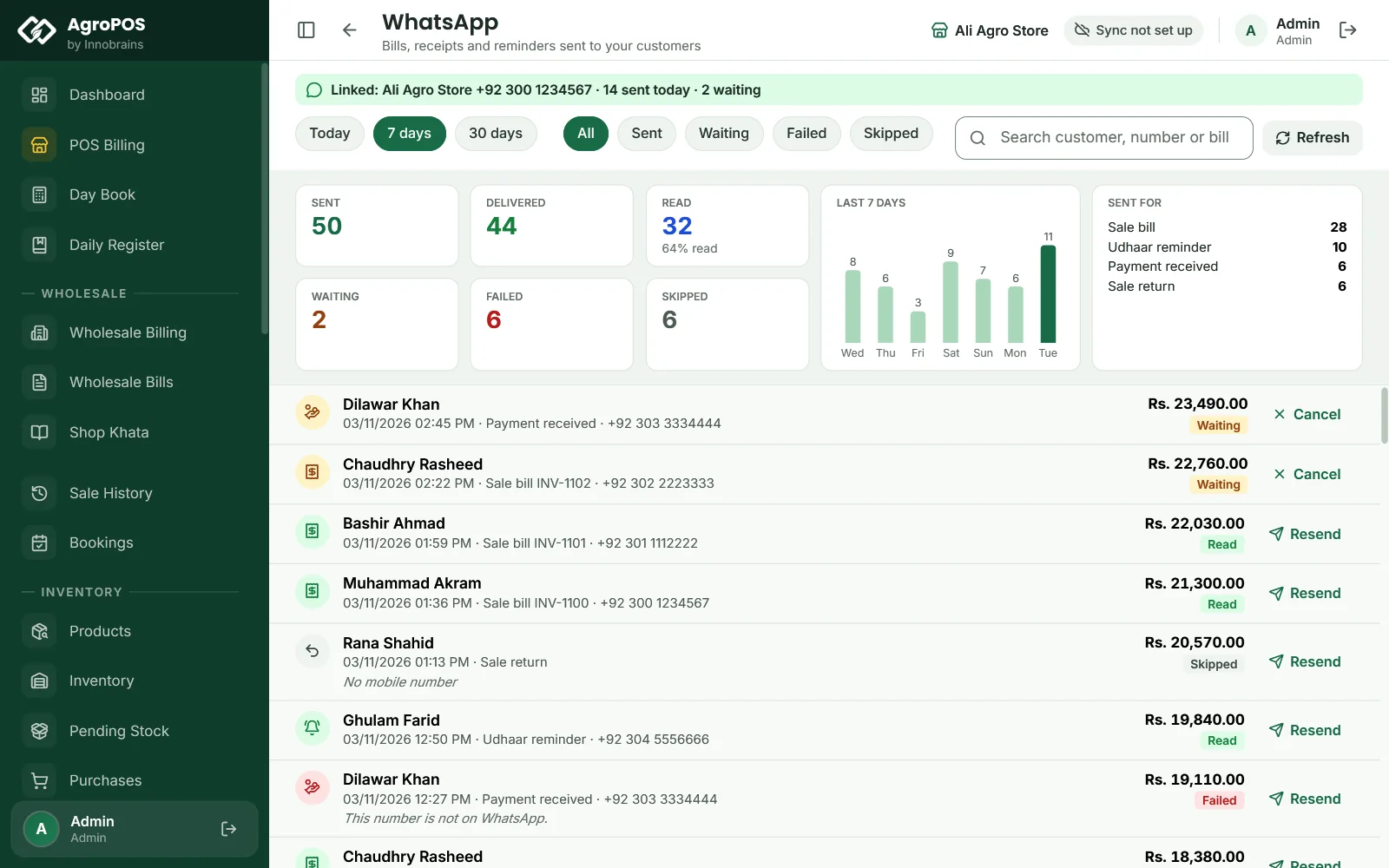
The WhatsApp screen shows today's, the week's or the month's messages: sent, delivered, read, waiting, failed and skipped, the last seven days, and which events sent them. Every message is listed with its customer and bill; one that failed can be sent again, one still waiting can be cancelled.
Swipe to see the whole screen · tap to close
Please read before you switch it on
This is an optional service. AgroPOS links to WhatsApp the way WhatsApp Web does; it is not WhatsApp's official business service, and AgroPOS is not made by or connected with WhatsApp or Meta. WhatsApp may limit or ban a number that sends many messages, or messages people did not expect or report as spam — so use a separate SIM for the shop and send only to your own customers. Innobrains is not responsible if WhatsApp limits or bans a number, or for messages that are late or not delivered. AgroPOS asks you to accept this once, before WhatsApp is switched on.
Try it with your own customers
Install the 14-day trial, link the shop's WhatsApp, make one bill to your own number, and see it arrive.