When the sale price of DAP is suddenly lower, or a cashier can suddenly give discounts, the owner wants to know who changed it and when. Change History records every edit to a product's rates, to users and roles, and to the main shop settings, with the old value, the new value, who made the change and the time. This guide covers what is recorded, how to search it, and what it does not cover.

Swipe to see the whole screen · tap to close
Who can see it
Change History is under SYSTEM for the Admin ("View the change history": "Who changed what — and therefore what is going unwatched."). Anyone else is told "Only an Admin can see the change history." Nobody can edit or clear it, and no data reset clears it.
What is recorded
| Kind | What is recorded |
|---|---|
| Product | Edits of an existing product's Purchase Price, Sale Price, credit price (shown as "Dealer Price"), Wholesale Price, Parchoon Rate and Low Stock Alert |
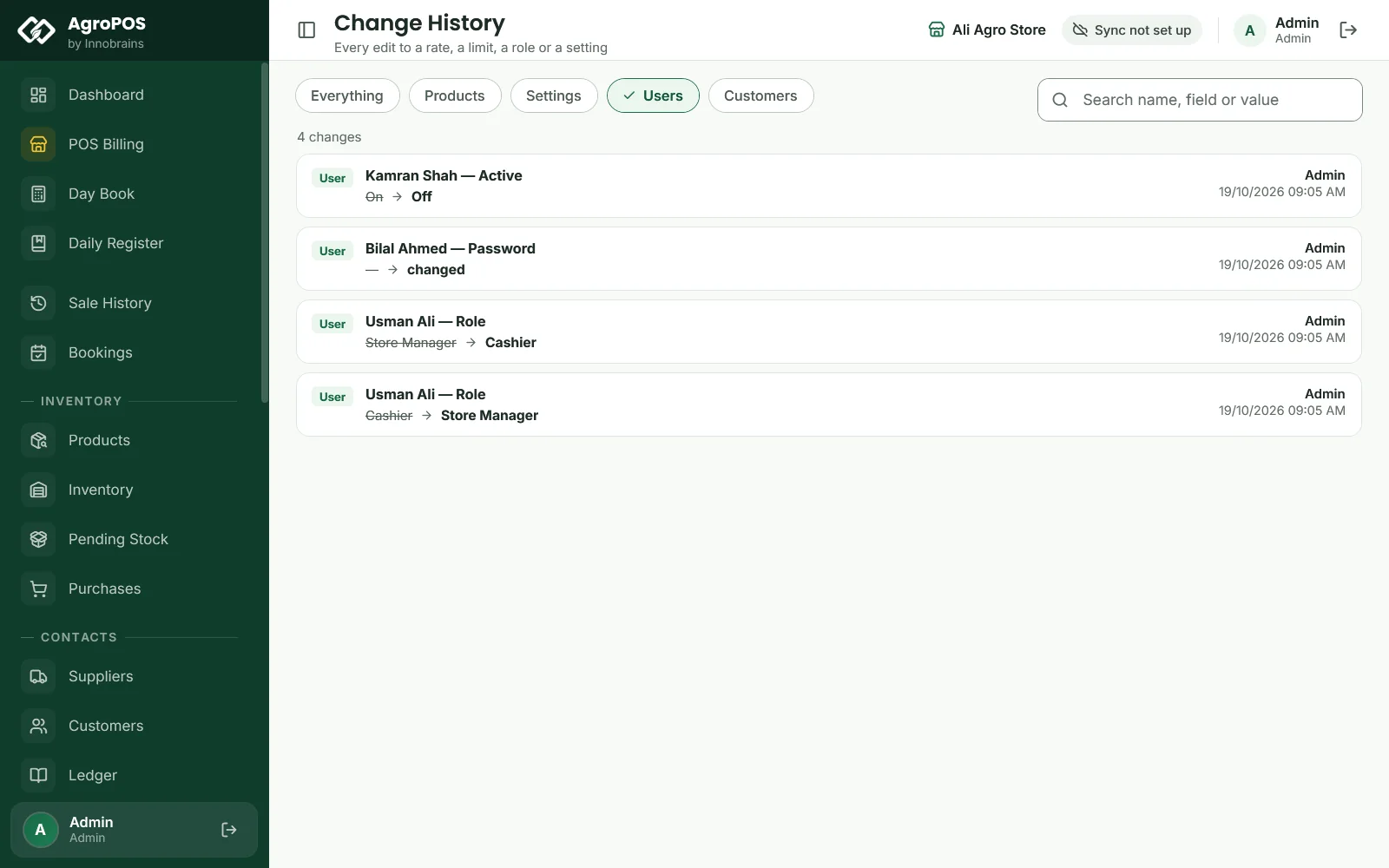
| User | A user's Role, the Active switch (On or Off), and a Password change (shown as "changed", never the password) |
| Role | A role created or changed, with its list of permissions. Permissions an AgroPOS update adds to the built-in Store Manager and Cashier show with the role's name and "(AgroPOS update)" |
| Day Book | A closed day reopened: the counted cash and the closing time it cleared, and who reopened it |
| Setting | Tax %, the invoice prefix and next invoice number, the currency symbol, the low stock and expiry alerts, the wholesale, parchoon, bookings and two-way switches, and the two deletion rules for sales and parties |
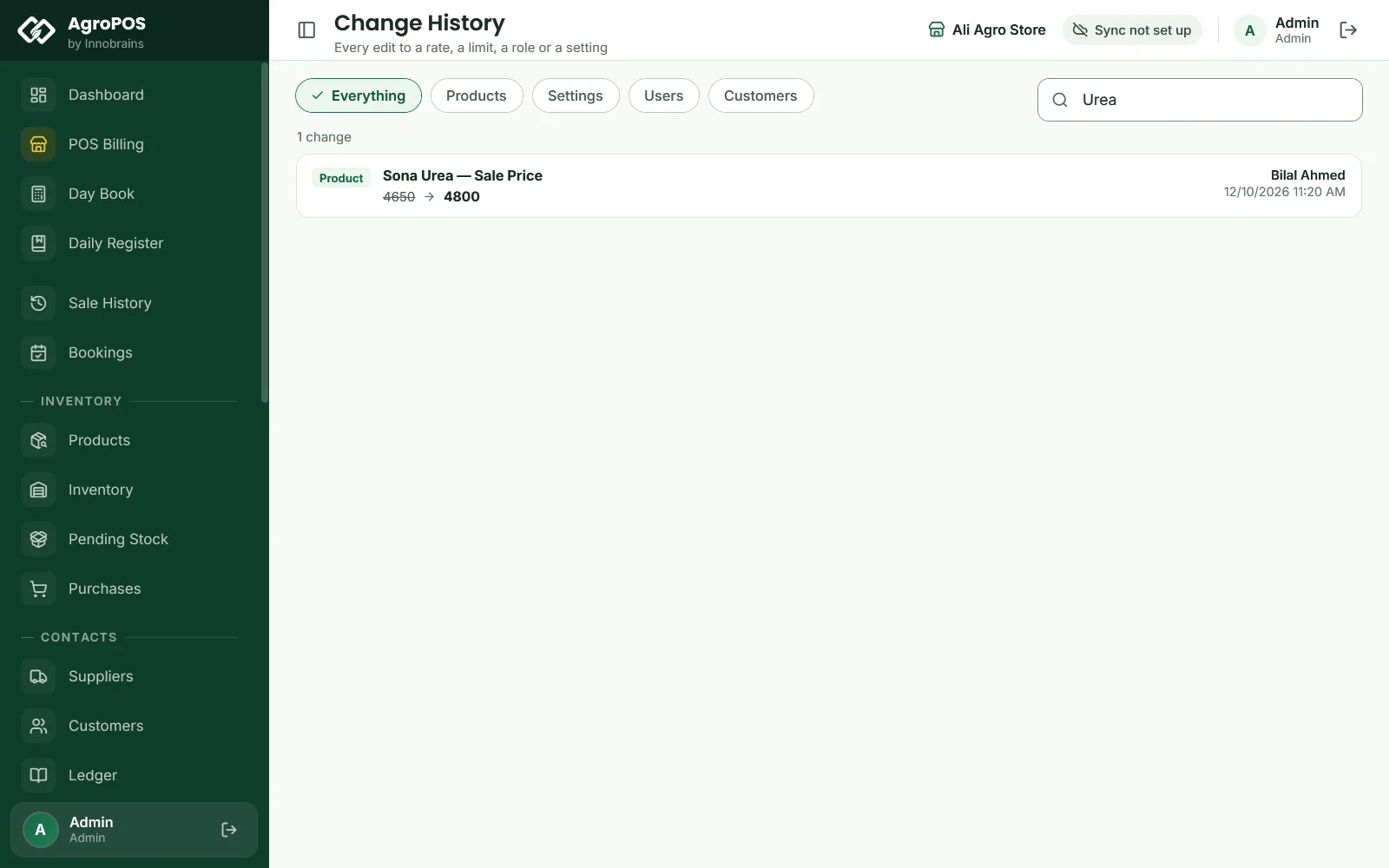
Each card shows the kind, the name and the field, such as "Sona Urea — Sale Price", the old value struck through, an arrow and the new value, who made the change and the date and time. The newest changes come first; the page shows up to the newest 300.
Swipe to see the whole screen · tap to close
How to find a change
- Click a chip: Everything, Products, Settings, Users or Customers.
- Type in Search name, field or value, such as
urea,Sale Priceor4800. The search looks at the name, the field and both values. - "No results for these filters" offers Clear filters.
What is not recorded here
Change History is about rates, access, settings and reopened days, not about daily trading. It does not list:
- bills, returns, cancelled bills or held bills: see Sale History;
- payments, recoveries, expenses and khata entries: see the Daily Register and the Ledger;
- stock adjustments: see the product's stock movements in Inventory (Ctrl+H) or Item Inspection;
- new products and new users, customer and supplier edits, imports, and the shop details, footer, logo, printer and other module switches;
- deleting a role.
The Customers chip shows customer changes brought over from the older AgroPOS; AgroPOS V2 does not add new ones.
Rules and tips
- Give every person their own user, so the history names the right person.
- Look at the Products chip after the season's price changes, to check every rate was entered as agreed.
- Check the Users chip when someone leaves, to see that their user was switched off.
- Change History cannot be exported or filtered by date or person; search by the name instead.
Common questions
Can I see who changed the price of a product?
Yes. Open Change History, click Products or search the product's name. Each price change shows the old and new rate, who changed it and when.
Does Change History show deleted bills?
No. It records rates, users, roles and settings. Cancelled bills disappear from Sale History; the Day Book and reports leave them out.
Can a store manager see the change history?
Not as standard. It needs View the change history, which only the Admin has. Giving it to the Store Manager lets them see what the owner changed too.
Is the change history cleared by Reset Shop Data?
No. Every reset keeps it, even a reset that starts the shop completely fresh.
Related guides
Last updated 21 October 2026. Still stuck? Contact us or message us on WhatsApp.