Every bill, khata entry and batch lives on the shop PC. A disk failure, a virus or a stolen PC can take years of udhaar records with it, so a recent backup away from the PC is the shop's insurance. This guide covers making a backup, where it is saved, restoring one, and what AgroPOS keeps safe when you restore. For backups that AgroPOS uploads by itself, see Cloud backup.

Swipe to see the whole screen · tap to close
Who can back up and restore
Backup & Restore is under SYSTEM for the Store Manager and the Admin ("Take a backup"). Restoring replaces all the data, so it needs "Restore a backup", which only the Admin has as standard: a Store Manager who tries is told "Only an Admin can restore a backup, because it replaces all current data." In a Multi-Counter shop, backup and restore are done on the main counter only, where the data is kept.
How to make a backup
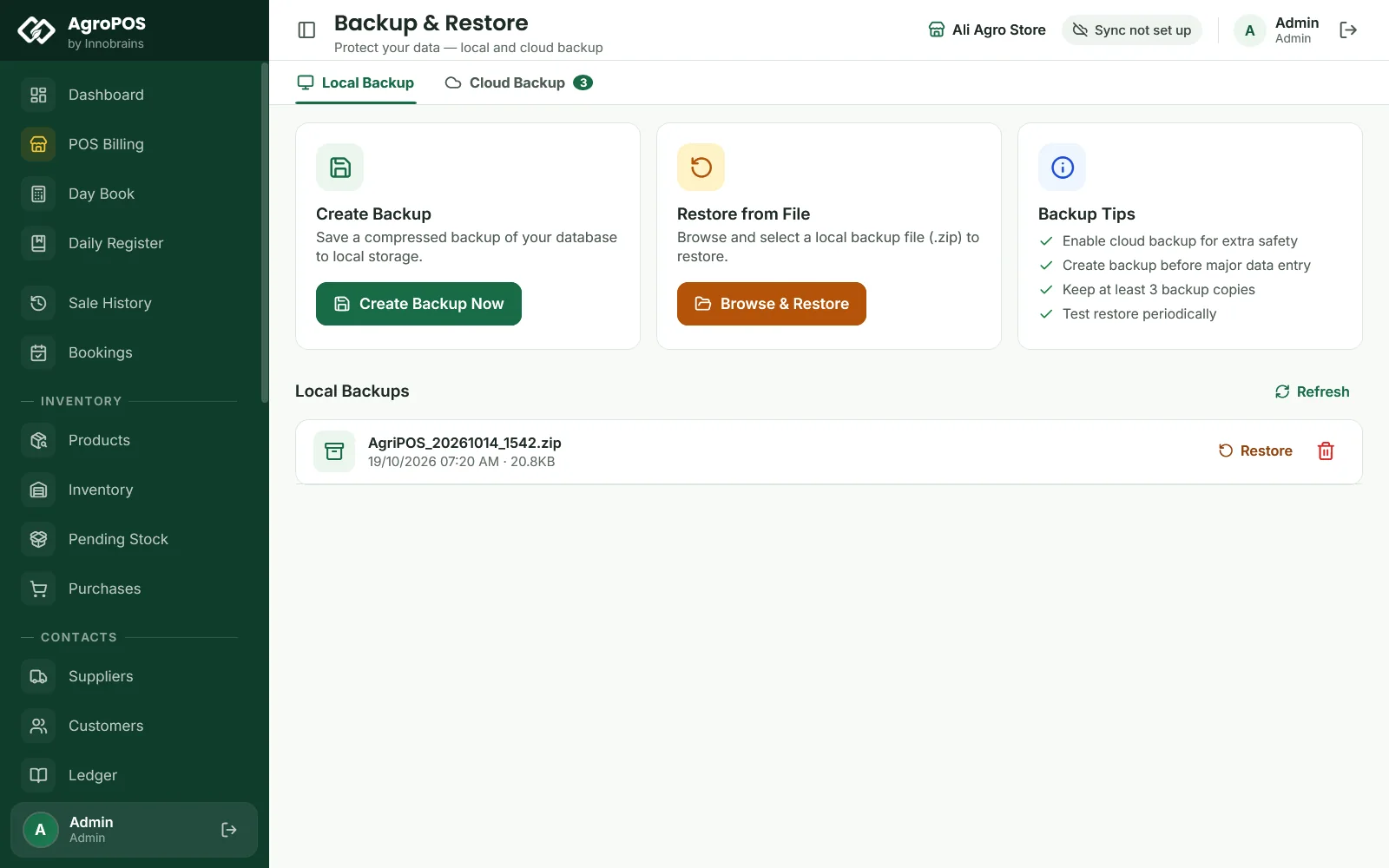
- Open Backup & Restore. It opens on Local Backup.
- Under Create Backup, click Create Backup Now.
- AgroPOS says "Backup created!" with the file's path.
The backup is a zip file of the whole shop, saved in Documents\AgriPOS_Backups and named by date and time, such as AgriPOS_20261019_2130.zip. It appears at the top of Local Backups with its date and size. Two backups made in the same minute share one name, so the second replaces the first.
Copy the newest file to a USB drive and keep it away from the shop, or send it to your own email. A backup on the same PC does not help if that PC is stolen or its disk dies.
When AgroPOS makes a backup by itself
There is no daily local backup on a timer. A backup zip is also made:
- each time AgroPOS uploads a cloud backup (see Cloud backup);
- before a Reset Shop Data;
- before every restore, as a safety copy of what is replaced (
AgriPOS_PreRestore_…).
After each successful cloud upload, AgroPOS keeps only the five newest backups in the folder. Backups you make with Create Backup Now are not removed by themselves, so delete old ones now and then with the bin icon.
How to restore a backup
Restoring replaces everything on this PC with what was in the backup: bills, khata, stock, products, users and settings. Anything entered after the backup was made is no longer shown.
A backup in the list:
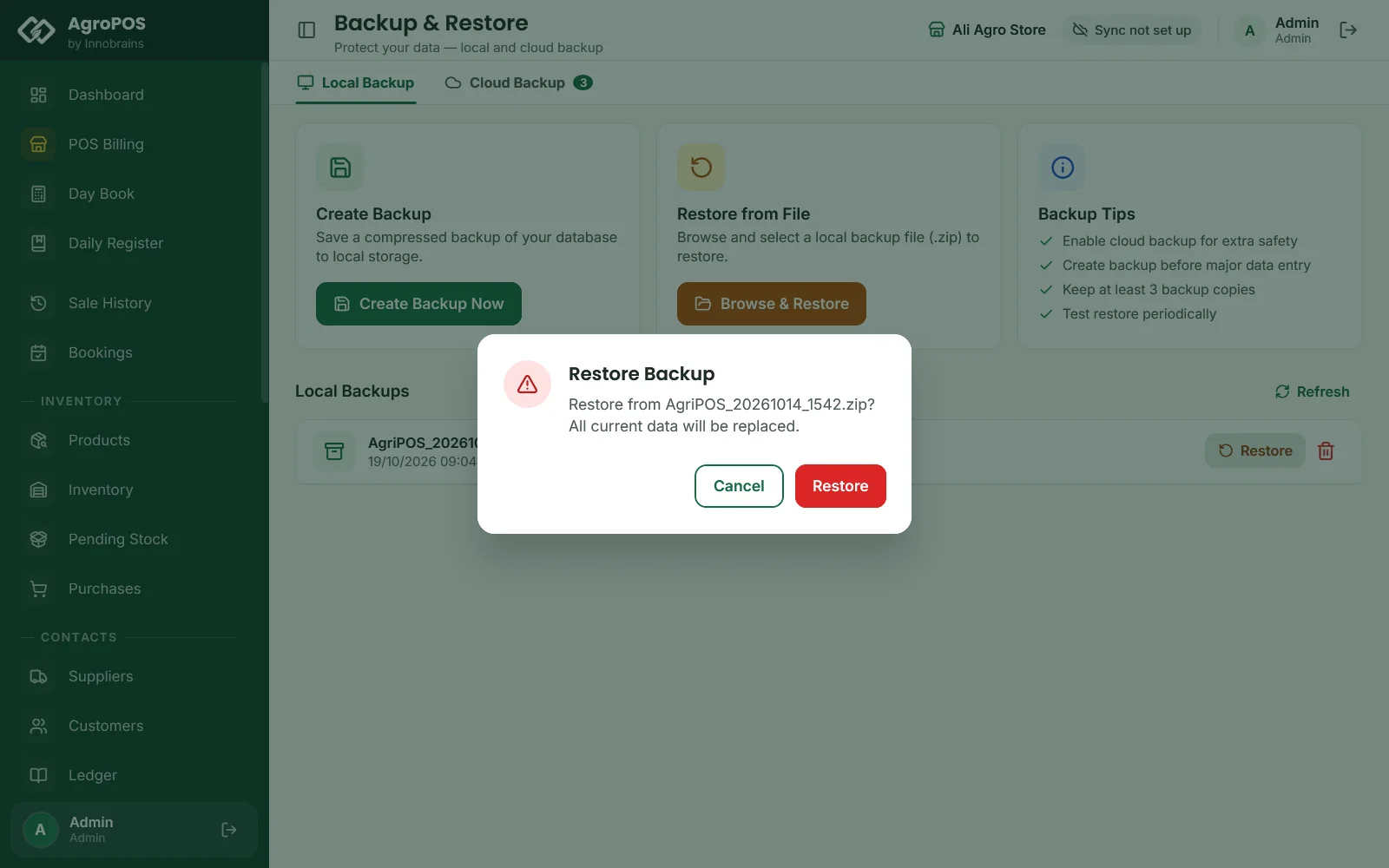
- In Local Backups, click Restore on the backup.
- Confirm "All current data will be replaced." with Restore.
Swipe to see the whole screen · tap to close
A file from USB or another folder:
- Under Restore from File, click Browse & Restore and choose the
.zipfile. - Confirm "This will REPLACE all current data. This cannot be undone. Continue?" with Continue.
While it works, AgroPOS shows Restoring the backup…: it checks the file, keeps a safety copy of today's data, then puts the backup in its place. Do not turn off the PC. It ends with "Restored successfully!". After a restore, everyone signs in with the users and passwords that were in the backup.
What AgroPOS checks
A restore stops, and changes nothing, when the file is not a usable AgroPOS backup:
- "The backup file is corrupt — the zip could not be opened."
- "This does not look like an AgroPOS backup — there is no database inside it."
- "The database inside the backup is damaged — it cannot be restored. Try an earlier backup."
If something goes wrong part-way, AgroPOS puts your earlier data back: "your earlier data has been put back and the app is as it was." Backups from the older AgroPOS restore too; a backup made by a newer AgroPOS than this one is refused.
Rules and tips
- Make a backup at closing time every day, and before any big change such as importing products or a reset.
- Copy a backup to USB at least once a week and keep "at least 3 backup copies", as the Backup Tips card says.
- Restore only when you mean to go back. To undo a wrong restore, restore the
AgriPOS_PreRestore_…safety copy it made. - On AgroPOS Cloud, a whole new PC can be restored from the cloud instead. See Restoring your shop or moving to a new PC.
- With Cloud Sync on, ask Innobrains before restoring an older backup: the older data would become the shop's cloud copy.
Common questions
Where are my backups saved?
In the Documents folder of the Windows user, under AgriPOS_Backups, named like AgriPOS_20261019_2130.zip. The folder cannot be changed, so copy the files to USB yourself.
Does AgroPOS back up by itself every day?
Not on the PC by a timer. It makes a local copy with each cloud backup upload, before a reset and before a restore. Make your own backup at closing time.
Can my store manager restore a backup?
No, not as standard. Restoring needs Restore a backup, which only the Admin has, because it replaces all the data.
I restored the wrong backup. Can I undo it?
Yes. Before every restore AgroPOS saves a safety copy named AgriPOS_PreRestore with the date. Restore that file with Browse & Restore.
Related guides
Last updated 19 October 2026. Still stuck? Contact us or message us on WhatsApp.