Running out of urea in the sowing season loses sales, and a carton of insecticide that expires on the shelf is money thrown away. AgroPOS warns you about both: the Dashboard counts the products that need reordering and those expiring soon, and Inventory lists them batch by batch. This guide covers where the alerts show, how each limit is set, and what to do with expiring stock.

Swipe to see the whole screen · tap to close
Where the alerts show
| Where | What it shows |
|---|---|
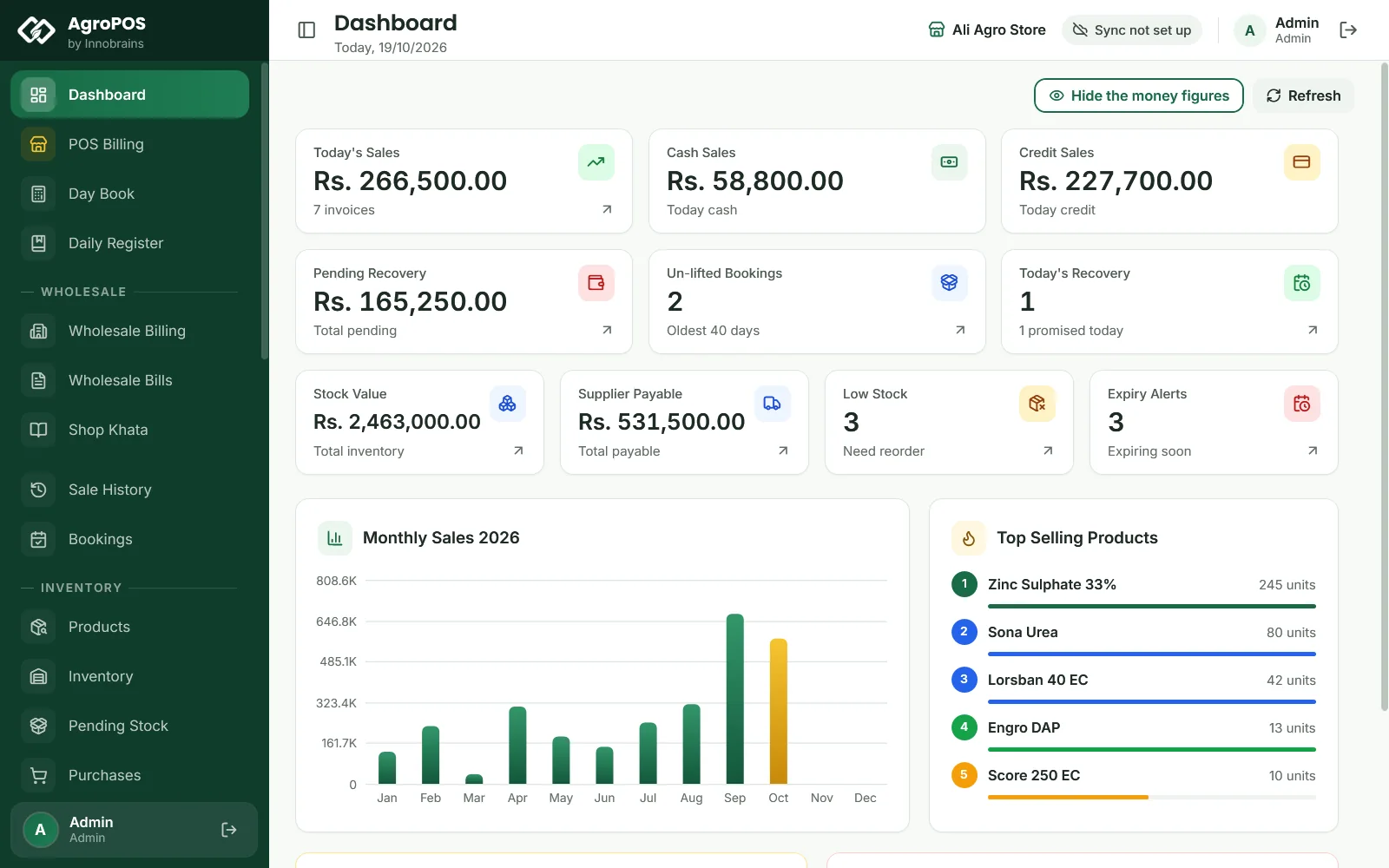
| Dashboard | The Low Stock card ("Need reorder") and the Expiry Alerts card ("Expiring soon"), and at the bottom the Low Stock Alert and Expiry Alerts lists, six products each |
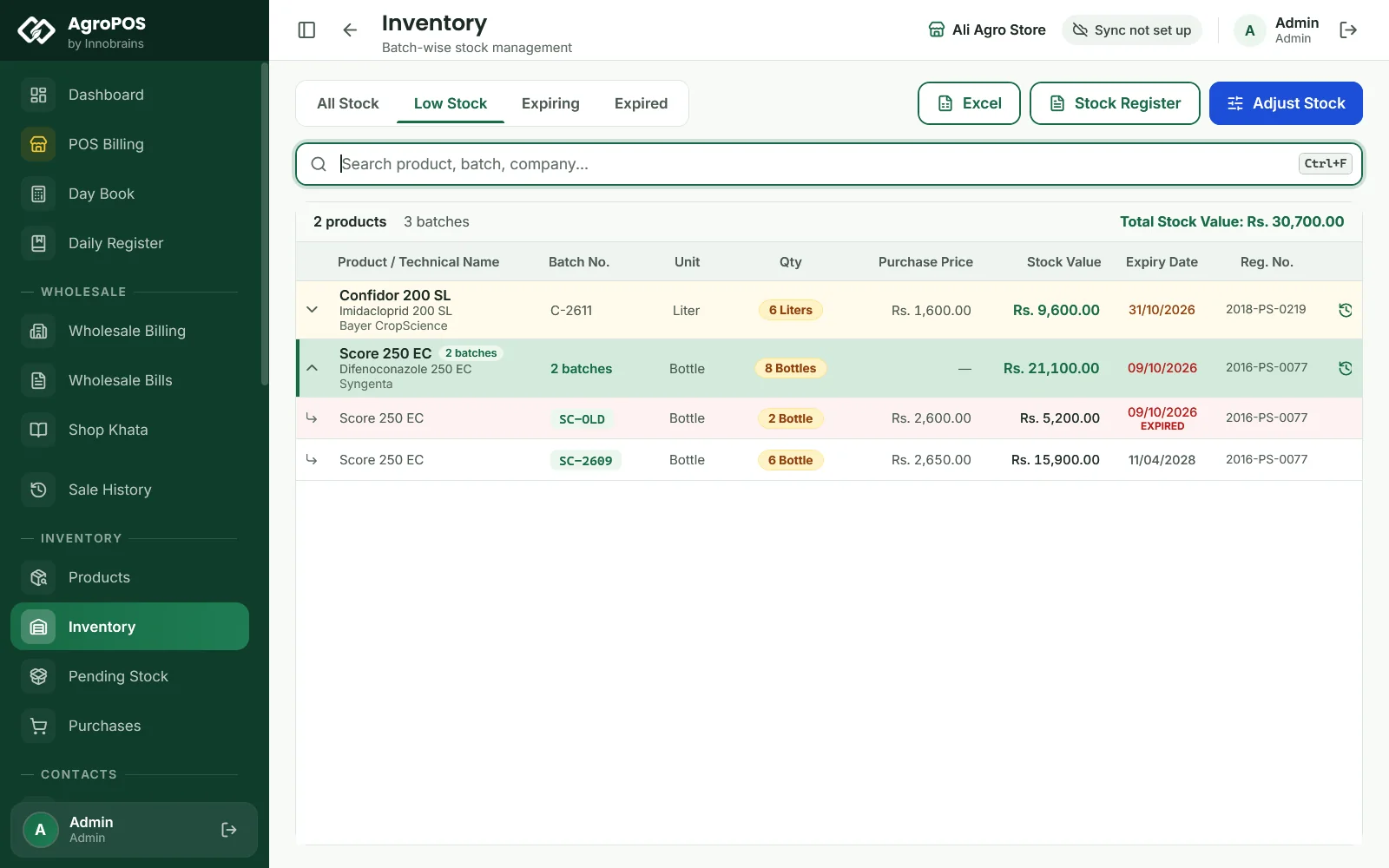
| Inventory | The Low Stock, Expiring and Expired tabs, a Soon or EXPIRED tag on each batch, and red or amber rows |
| Products | The stock pill turns amber at the product's minimum and red when it is out; the expiry date turns amber within 30 days and red once past |
| POS Billing | A Low Stock badge in the search results; expired batches show "Expired — cannot be sold" |
| Inspector Mode | The Expiry Report: batches expired, and those expiring within 60 days |
The dashboard cards open Inventory for users who may see it. AgroPOS shows these alerts inside the software only: it does not send SMS, WhatsApp messages or pop-ups.
How the low stock alert works
Each product has its own Min Stock Alert, set on the product form (Products → pencil). A new product starts at 10. A product is low when its stock is at or below that figure.
- The dashboard's Low Stock card counts every active product at or below its minimum, including those that are out of stock. The Low Stock Alert list shows the quantity left, red when nothing is left.
- The Low Stock tab of Inventory lists the products at or below their minimum that still have some stock.
- Settings → Stock → Low Stock Alert Threshold (10 unless you change it) is used for products whose own Min Stock Alert is 0.
Swipe to see the whole screen · tap to close
Set the minimum to what you need to keep selling until the next delivery: 20 bags of urea in the season, 5 bottles of a slow pesticide. A product whose minimum is 0 is checked against the shop's threshold instead.
How the expiry alert works
Every batch carries the expiry date typed on its purchase line.
- The dashboard's Expiry Alerts card counts the products with stock in a batch that expires between today and the number of days in Settings → Stock → Expiry Alert Days (30 unless you change it). Batches already expired are not in this count.
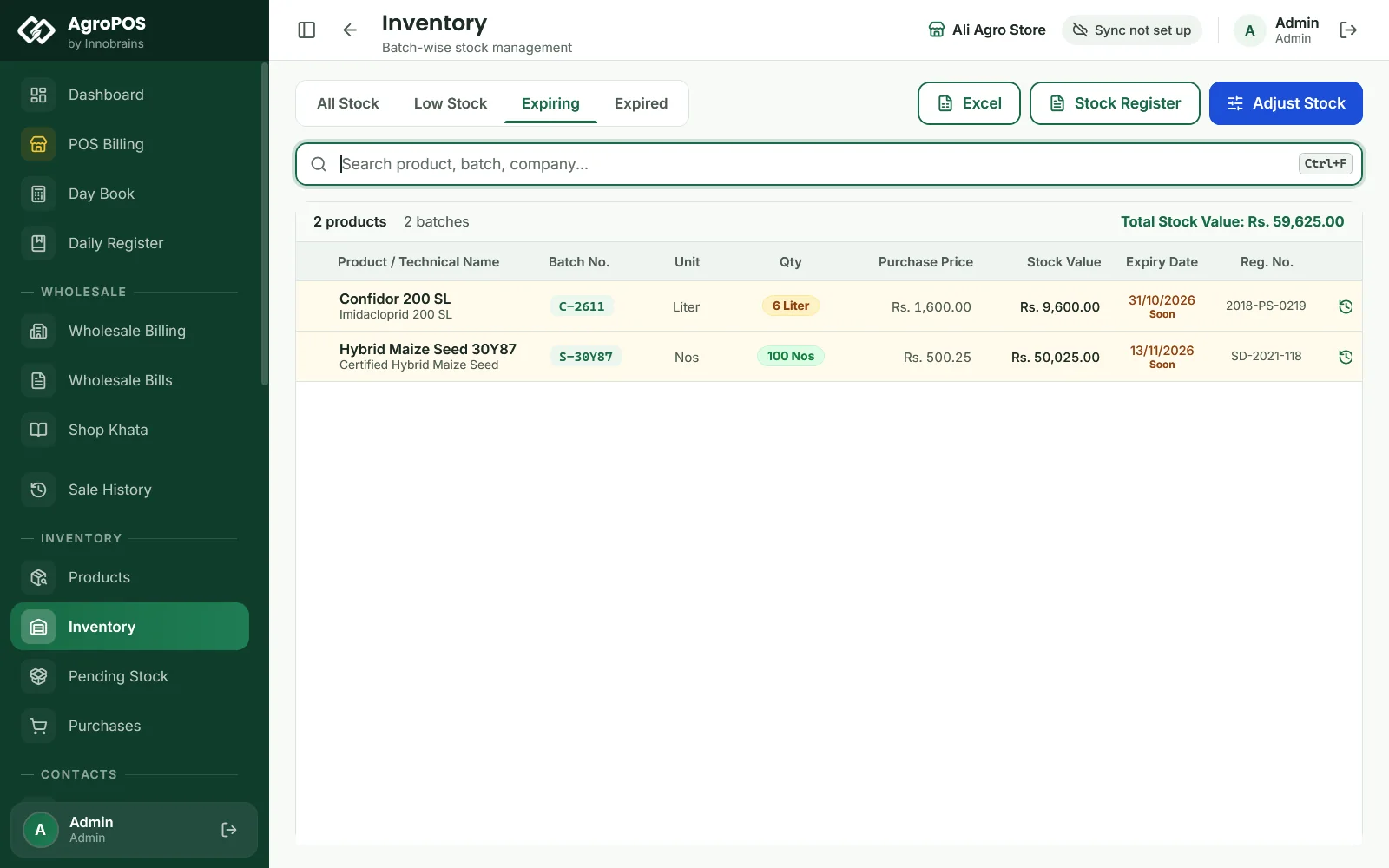
- The Expiring tab of Inventory lists the batches in stock that expire within 30 days, soonest first, with their stock value. The Expired tab lists those already past their date.
- In Inventory, the Soon tag and the amber rows also use 30 days, whatever the setting.
Swipe to see the whole screen · tap to close
How to change the limits
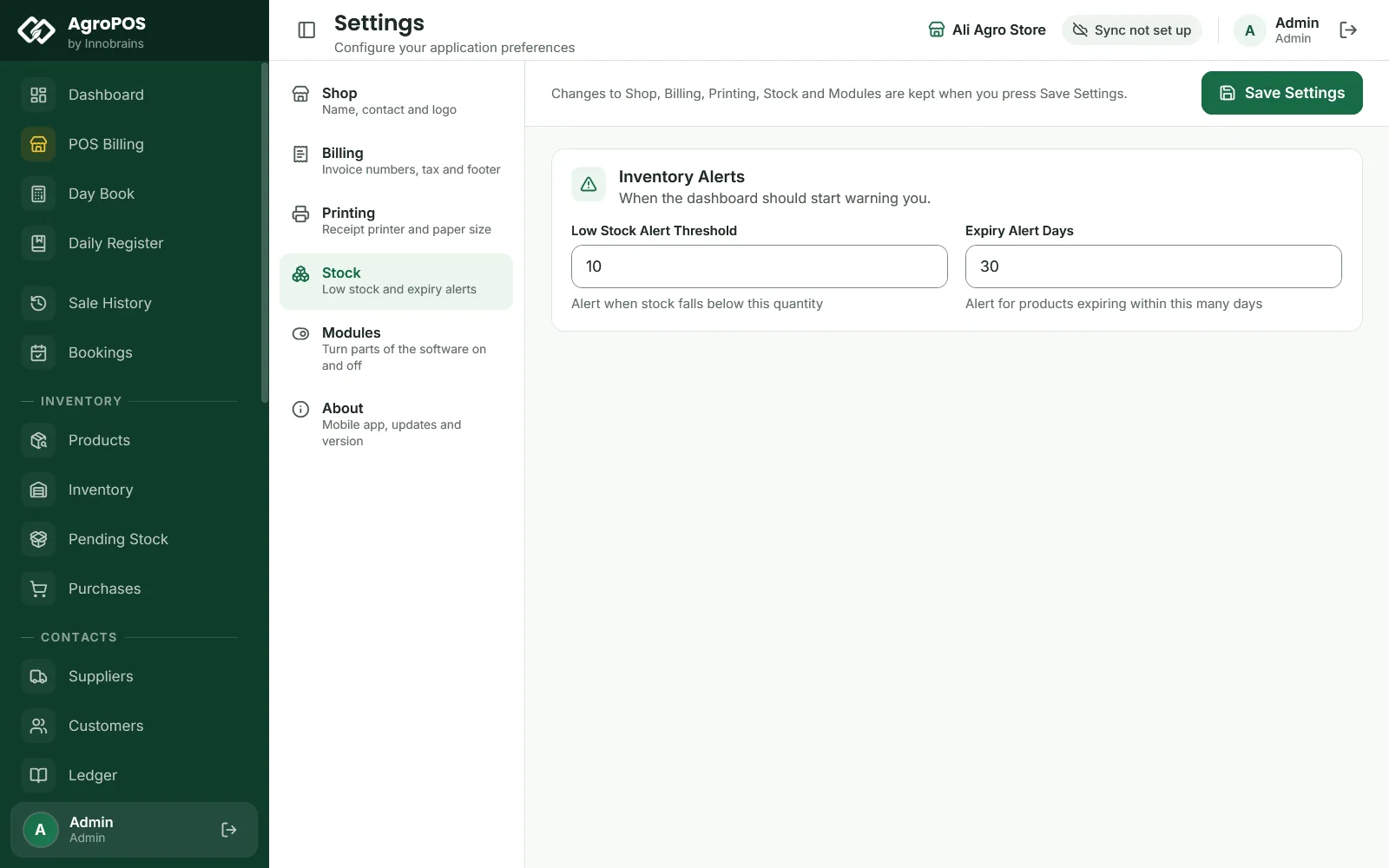
- As the Admin, open Settings → Stock.
- Under Inventory Alerts, change the Low Stock Alert Threshold (1 to 100000) or the Expiry Alert Days (1 to 3650).
- Click Save Settings.
Swipe to see the whole screen · tap to close
To change one product's minimum, edit the product and change its Min Stock Alert.
What to do with expiring and expired stock
- Sell it first. The till already sells the batch that expires first. Tell the counter staff which products are on the Expiring tab.
- Return it to the company before it expires, if your distributor takes returns: use Return Items on the purchase it came in.
- Expired stock cannot be sold. Take it off with Adjust Stock → Remove and a reason, or return it to the company, and keep the Expiry Report from Inspector Mode for the Agriculture Department.
Rules and tips
- Enter the expiry date on every purchase line. A batch without one never shows in any expiry alert, and it is sold last.
- Look at the Expiring tab once a week in the season, and before ordering more of the same product.
- The low stock alert is only as good as each product's minimum. Review the minimums before each season.
- With AgroPOS Cloud, the web panel's dashboard shows the same low stock and expiry lists, so the owner sees them from home.
Common questions
Why does the dashboard show fewer expiring products than the Expiring tab?
The dashboard uses the Expiry Alert Days in Settings and counts products, while the Expiring tab always uses 30 days and lists batches. With the setting at 15 days, the dashboard shows only those within 15 days.
Can AgroPOS send me an SMS when stock is low?
No. The alerts are shown inside AgroPOS: on the dashboard, in Inventory, in Products and at the till. On AgroPOS Cloud you can also see them on the web panel.
Why is a product with no stock not on the Low Stock tab?
The Low Stock tab lists products that still have some stock left. Products that are out of stock are counted on the dashboard's Low Stock card and listed in red there.
Where do I set the minimum stock for one product?
On the product itself: open Products, click the pencil on the product and change Min Stock Alert. The Low Stock Alert Threshold in Settings, Stock is only used for products whose own minimum is 0.
Related guides
Last updated 19 October 2026. Still stuck? Contact us or message us on WhatsApp.