AgroPOS comes in two editions, Offline and Cloud, and both run the same Windows software on your shop PC. Offline is a lifetime licence: you pay once and the data stays on your shop computer. Cloud is paid monthly or yearly and adds cloud sync, cloud backup and a web panel where you see your shop from any phone or computer. This guide helps a pesticide, khaad or seed dealer choose, and explains what happens when a Cloud plan is due and how to switch later.
What is the same in both editions
Billing runs on your shop PC in both editions, with or without internet, so a PTCL fault or load-shedding at the router does not stop a sale. Every feature is in both: batch-wise stock with expiry, udhaar khata and recovery, purchases, the day book, the Agriculture Department registers, parchoon, 80 mm and A4 printing, and reports with Excel export. Both also include:
- Multi-Counter, where several tills bill at once on one stock and one khata over your shop network;
- AgroPOS Mobile, the free read-only Android app for khata, recovery, suppliers and stock (see AgroPOS Mobile);
- all updates, setup help and training;
- the same 14-day free trial, which opens AgroPOS Cloud too, so you can try both before you decide.
The differences at a glance
| Offline | Cloud | |
|---|---|---|
| How you pay | Once: a lifetime licence | Monthly or yearly |
| Where your data is | Your shop PC | Your shop PC, with a copy kept in AgroPOS Cloud |
| Billing without internet | Yes | Yes; changes wait on the PC and go up when the internet returns |
| Cloud sync | No | Yes |
| Web panel at agropos.pk | No | Yes: bills, stock, khata and reports, read-only |
| Cloud backup | Optional, paid yearly | Included |
| Setting up a new PC | From a backup file or the cloud backup | Activate, then restore the whole shop from the cloud |
| Multi-Counter | 2 or 3 counters on one licence, more as extra counters | 3 PCs included in every plan, more as Extra PCs |
| If you stop paying | The licence keeps working; only the cloud backup stops at its end date | A reminder, 7 days of grace, then AgroPOS stops at the licence screen until you renew |
Prices for each plan, counter and add-on are on the pricing page, which has a Cloud and an Offline tab. On Cloud it also shows how much a yearly payment saves against paying monthly.
The Offline edition in detail
The Offline edition suits a shop where the owner is at the counter most of the day and wants to pay once.
- You pay once. The licence never expires, and updates are included.
- Your data stays on the shop PC, so your backups matter.
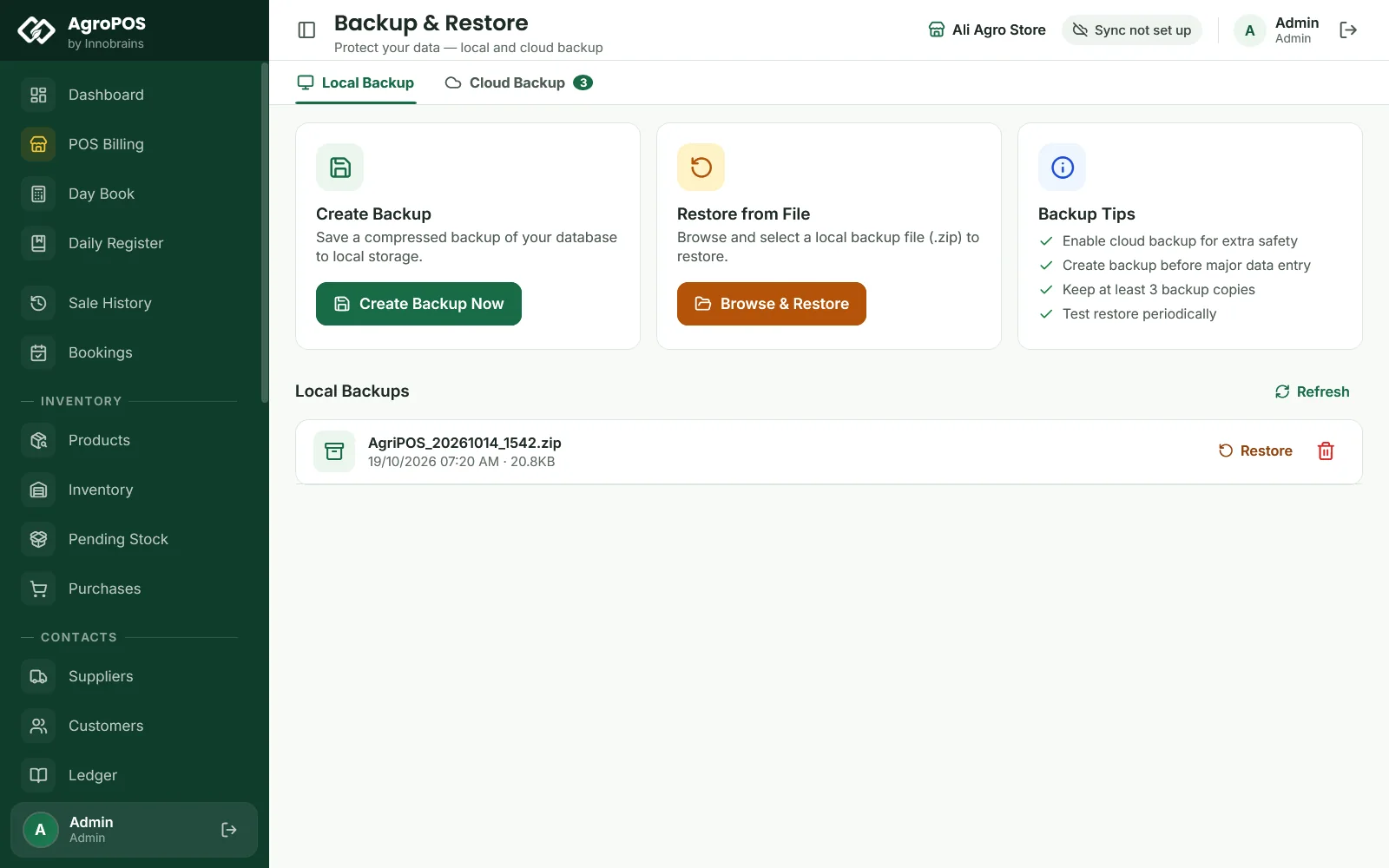
- Local backups are yours to keep. Under Backup & Restore → Local Backup, Create Backup Now saves a zip of the whole shop in Documents → AgriPOS_Backups, and Browse & Restore brings one back. Copy a backup to a USB drive regularly.
- Cloud backup is an optional yearly add-on. AgroPOS then uploads backups by itself while the PC is online, and lists them on the Cloud Backup tab. If you do not renew it, only new uploads pause: everything else carries on, and existing cloud backups can still be downloaded.
- No web panel. Once AgroPOS has checked your plan online, Settings → About says Cloud sync and the web panel are part of AgroPOS Cloud. Away from the counter, use AgroPOS Mobile on your phone.

Swipe to see the whole screen · tap to close
The Cloud edition in detail
The Cloud edition suits an owner who wants the shop's figures on the phone, and the data safe away from the shop.
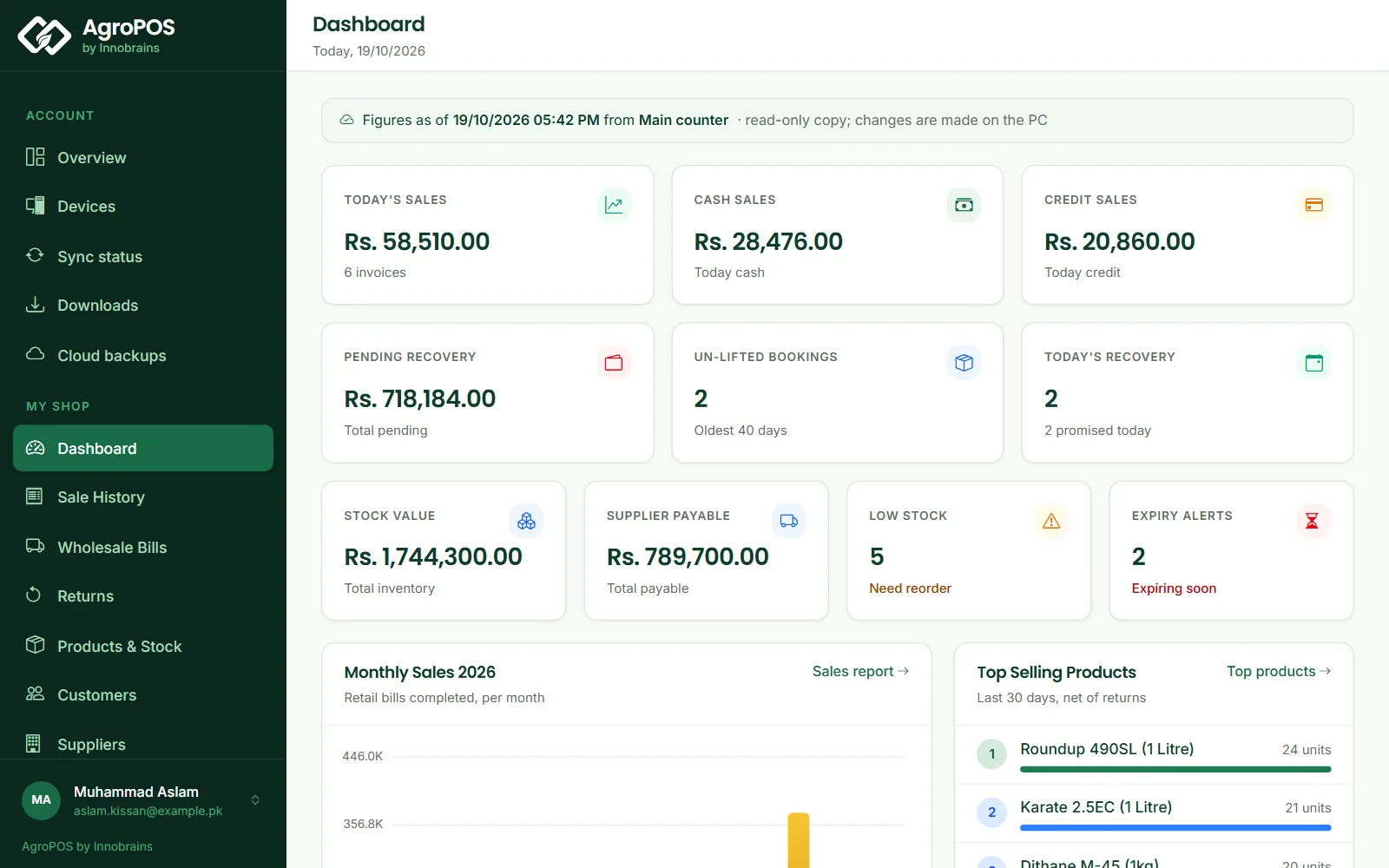
- Cloud sync. Cloud Sync is off on a PC until you turn it on: on the main counter, open Settings → About and switch on Cloud Sync. It uploads your shop's data once, then every change goes up by itself. The top bar shows the state, such as Synced 2 min ago, or Offline · 3 waiting while the internet is down; billing carries on as normal. See Cloud Sync and the web panel.
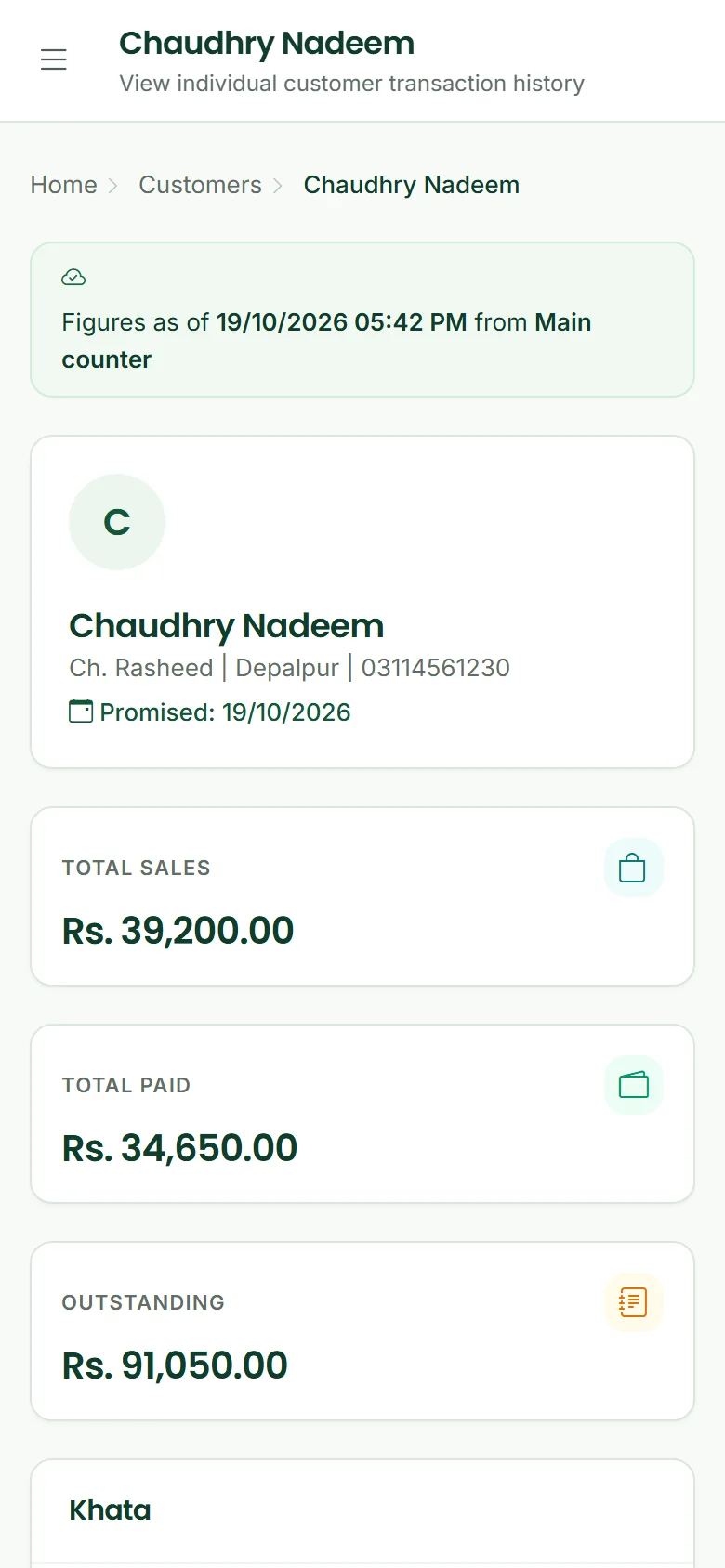
- The web panel. Sign in at agropos.pk/portal with your account's email or mobile number. My shop has the Dashboard, Sale History, Customers with each khata, Products & Stock, Day Book, Reports, Inspector Mode and more, with Figures as of the last change. The web panel is read-only: changes are made in AgroPOS on the PC.
- Cloud backup is included, and a new or broken PC gets the whole shop back. Activate AgroPOS on the new PC and it offers Restore my shop from the cloud, checked record by record before it is used. See Restoring a backup or moving to a new PC.
Swipe to see the whole screen · tap to close
When your Cloud plan is due
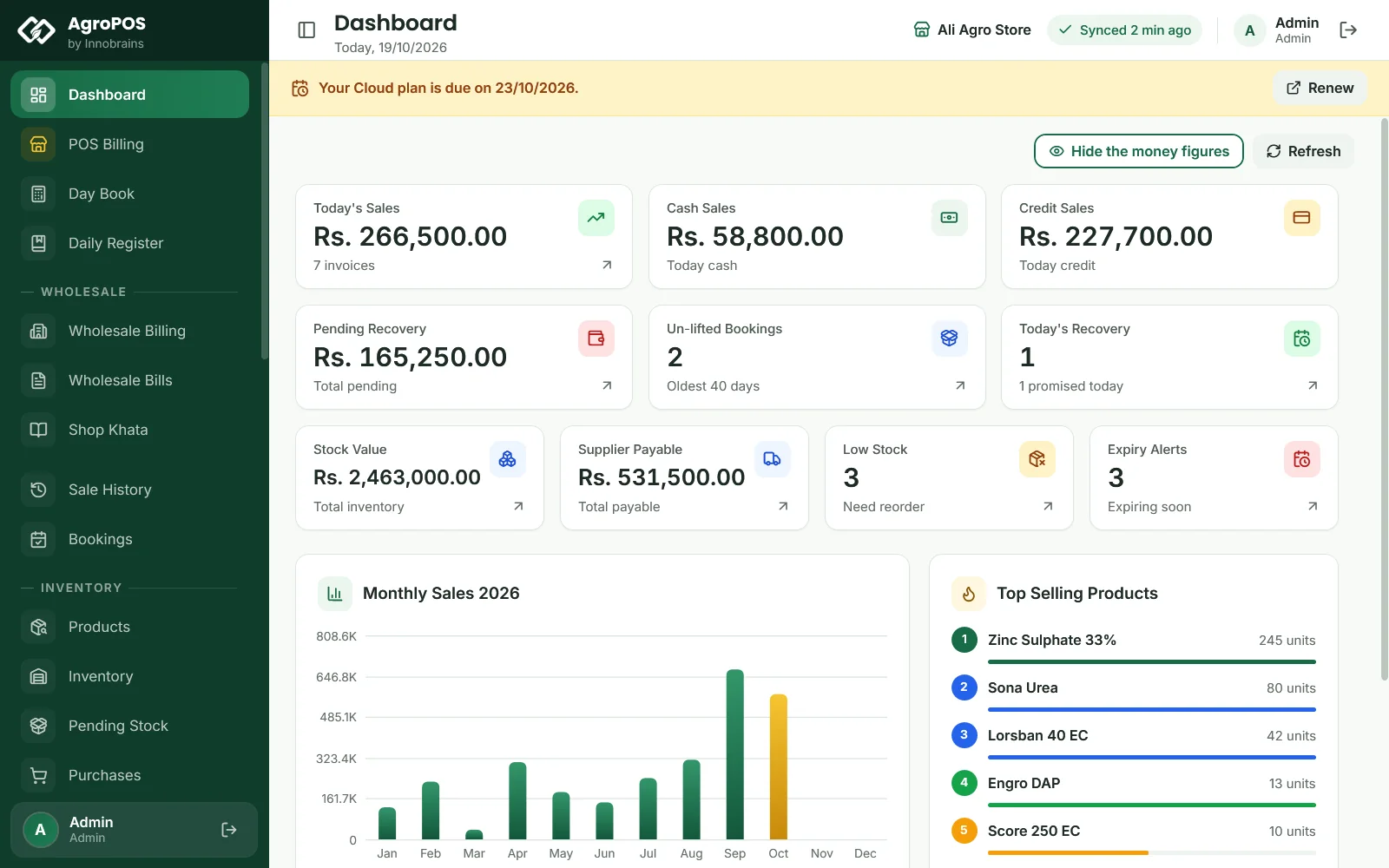
AgroPOS checks your plan with AgroPOS Cloud every few hours while the PC is online, and counts down from the last answer, so the banners appear even without internet. Reminder emails go to your account's email at the same points, each morning.
| When | What you see in AgroPOS |
|---|---|
| 7 days before the date | A banner: Your Cloud plan is due on the date, with Renew |
| The 7 days of grace after it | A red banner with the days left; everything still works |
| After the grace, Cloud licence | AgroPOS opens on the licence screen, with Renew: "Your licence has expired" |
| After the grace, lifetime licence with Cloud added | Your Cloud plan has ended. AgroPOS works as Offline; cloud sync and the web panel stop |
Swipe to see the whole screen · tap to close
Renew opens your plan's checkout at agropos.pk. Once the payment is approved, cloud sync starts again and the PC sends what waited. A Cloud licence that had locked needs one more step: on the licence screen, type the shop name and the licence key again and click Activate Software with the internet on. Nothing is deleted at any point: the data stays on the PC and in the cloud, and while a plan has lapsed the web panel shows Renew to continue. See Cloud plan renewals, grace and lock.
How to decide
Choose Offline if you want to pay once, are at the shop most of the day, and are happy to make backups yourself or add cloud backup. Choose Cloud if you want today's sales, recovery and stock from home or the mandi, want the data safe away from the shop, and would rather pay monthly or yearly than a larger amount at once.
Two examples. The owner of Ali Agro Store sits at his one counter from opening to closing and wants to pay once: Offline, with cloud backup added, fits him. Kissan Agri Store in Okara runs three counters in the wheat season, and the owner spends mornings at the grain market: AgroPOS Cloud on Basic, with its three PCs, lets him follow every counter's sales from his phone.
Changing your edition later
- Before you buy. The edition you choose at sign-up only records what you plan to buy. The trial is the same for both, and when it ends you can buy either edition and carry on with the same data.
- From Offline to Cloud. Add AgroPOS Cloud to the lifetime licence you already have, at the full Cloud price. Your licence and its counters stay as they are. If you later stop paying for Cloud, the licence goes back to Offline and keeps working.
- From Cloud to Offline. Talk to the AgroPOS team first through Contact. Your shop PC keeps a full copy of the shop, so your data is not affected.
- From one counter to Multi-Counter. Message us on WhatsApp first. Your data and your licence come with you. See Multi-Counter POS software.
Rules and tips
- In a Multi-Counter shop, Cloud Sync, backups and the licence live on the main counter. Tills keep no data of their own.
- A Cloud shop can bring the whole shop back on a new PC only if Cloud Sync was on and its first upload had finished. Keep an eye on the sync state in the top bar.
- Keep the main PC and the router on a UPS. Billing does not need the internet, but tills need the router to reach the main counter.
Common questions
Does the Cloud edition stop billing when the internet goes down?
No. AgroPOS bills on the shop PC in both editions. On Cloud, changes made while the internet is down wait on the PC and are sent when the connection returns.
Can I see my Offline shop's sales from home?
Not on the web panel, which is part of AgroPOS Cloud. AgroPOS Mobile, the free Android app, shows customers, khata, recovery, suppliers and stock in both editions.
What happens to my data if I stop paying for Cloud?
Nothing is deleted. After a reminder and 7 days of grace, a Cloud licence stops at the licence screen until you renew, and a lifetime licence with Cloud added goes back to Offline. Your data stays on the PC and in the cloud.
Is Multi-Counter available in both editions?
Yes. Offline sells licences for two or three counters, and every Cloud plan includes three PCs (Basic covers one branch; the plans for several branches are coming soon). Both editions can add more: extra counters on Offline, Extra PCs on Cloud.
Is there a monthly fee with the Offline edition?
No. Offline is paid once. Its only yearly item is the optional cloud backup.
Related guides
Last updated 19 October 2026. Still stuck? Contact us or message us on WhatsApp.