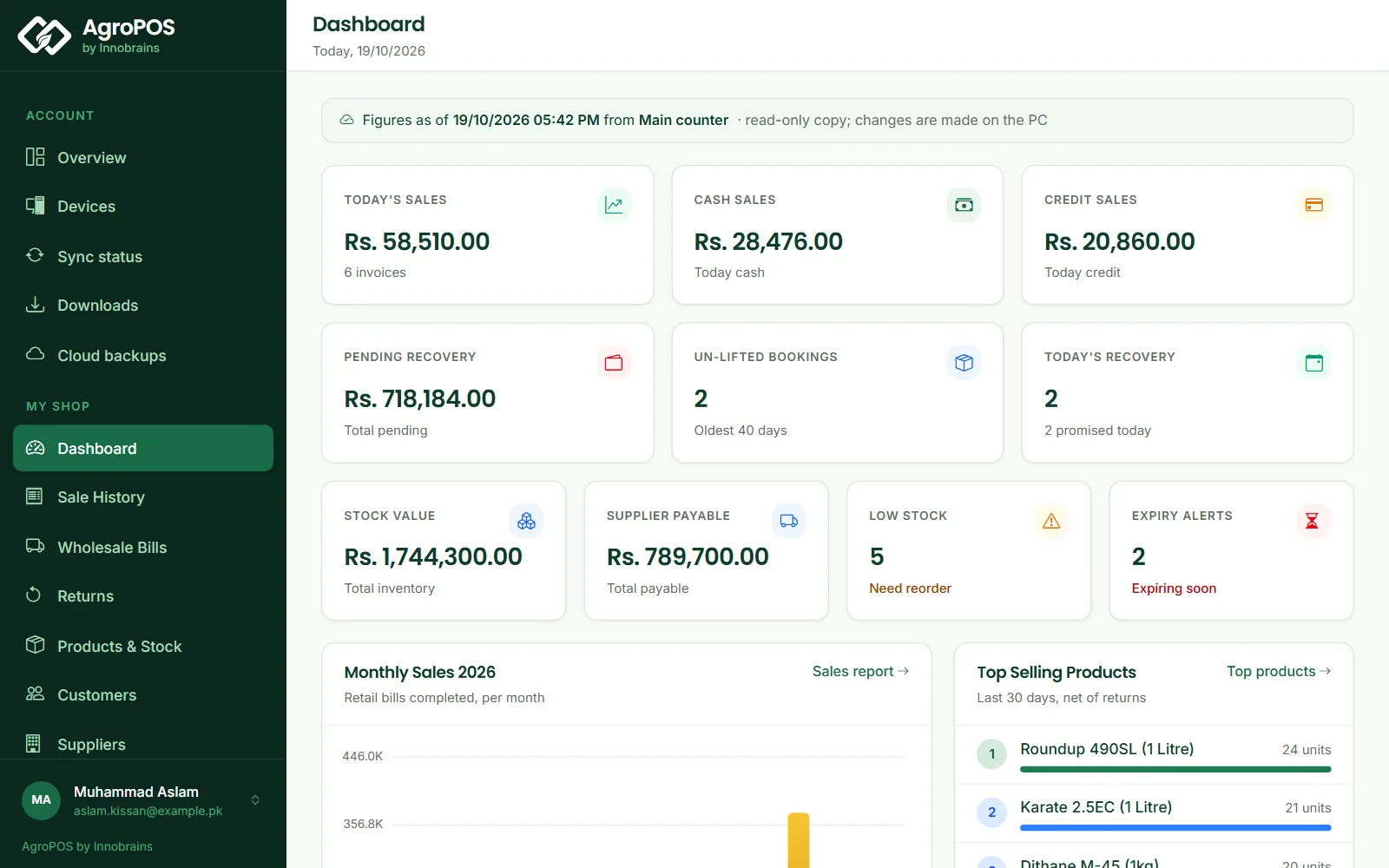
With AgroPOS Cloud, the shop PC sends every change to AgroPOS Cloud, and the owner sees the shop from any phone or computer on the web panel at agropos.pk: today's sales, every bill, each customer's khata, stock, the day book and reports. Billing still happens on the shop PC, with or without internet. This guide covers switching on Cloud Sync, reading its state, what the web panel shows, and what it does not do.
Swipe to see the whole screen · tap to close
Who has Cloud Sync
Cloud Sync and the web panel are part of the Cloud edition and of the free trial. On the Offline edition, Settings → About → Cloud Sync says "Cloud sync and the web panel are part of AgroPOS Cloud." with See the AgroPOS Cloud plans. See Offline or Cloud.
AgroPOS Cloud turns cloud sync on for your shop while your Cloud plan (or trial) is active or in its grace days, and pauses it once the plan has lapsed. On each PC, the owner switches it on once, as below.
How to switch on Cloud Sync
- On the main counter, sign in as the Admin and open Settings → About.
- Under Cloud Sync ("Send this PC's changes to AgroPOS Cloud."), switch on Cloud sync on this PC. AgroPOS says "Cloud sync is on for this PC."
- The first time, AgroPOS uploads the whole shop: "Getting your shop's data ready for the cloud…", then "Uploading your shop's data to the cloud: 12 of 31 MB", then "Your shop's data is uploaded. AgroPOS Cloud is reading it in…".
- After that, every change goes up by itself within about a minute. Sync now sends at once.
Cloud Sync runs on the main counter only; tills save everything on the main counter. After a restore from AgroPOS Cloud, Cloud Sync is already on.
On a new PC of a shop that is already in the cloud, restore first. Switching Cloud Sync on in an empty, new shop sends that empty data up as the shop's cloud copy. Use Restore my shop from the cloud instead. See Restoring your shop or moving to a new PC.
The sync state in the top bar
| The top bar shows | What it means |
|---|---|
| Synced 2 min ago | Everything on this PC is also in the cloud |
| Syncing 3… | Changes are being sent |
| Offline · 3 waiting | The cloud cannot be reached; billing carries on and the changes wait on this PC |
| Sync off | Cloud Sync is off on this PC; everything is saved on the PC |
| Sync paused | The cloud has paused sync for this shop, for example after the plan lapsed; changes wait on this PC |
| 3 changes failed | Some changes were refused by the cloud; call Innobrains support |
Hover over it for the explanation. Billing never waits for the cloud: a sale is saved on the PC first, and goes up when the internet allows.
How to open the web panel
- On any phone or computer, open agropos.pk/portal.
- Sign in to your shop with the email or mobile number registered with AgroPOS, and your account password.
- Open My shop in the menu.
The web panel has one sign-in, for the shop owner's account. Staff have no web sign-in: their AgroPOS users work on the shop PC only.
What the web panel shows
Under My shop: Dashboard, Sale History, Returns, Products & Stock (products, inventory and pending stock), Customers with each khata, Suppliers, Purchases (purchases, purchase returns and supplier payments), Expenses, Day Book, Daily Register, Wallets & Banks, Recovery Dates, Reports and Inspector Mode. Wholesale Bills, Shop Khata, Cheque Register, Bookings and Party Settlement appear when those are switched on in the shop.
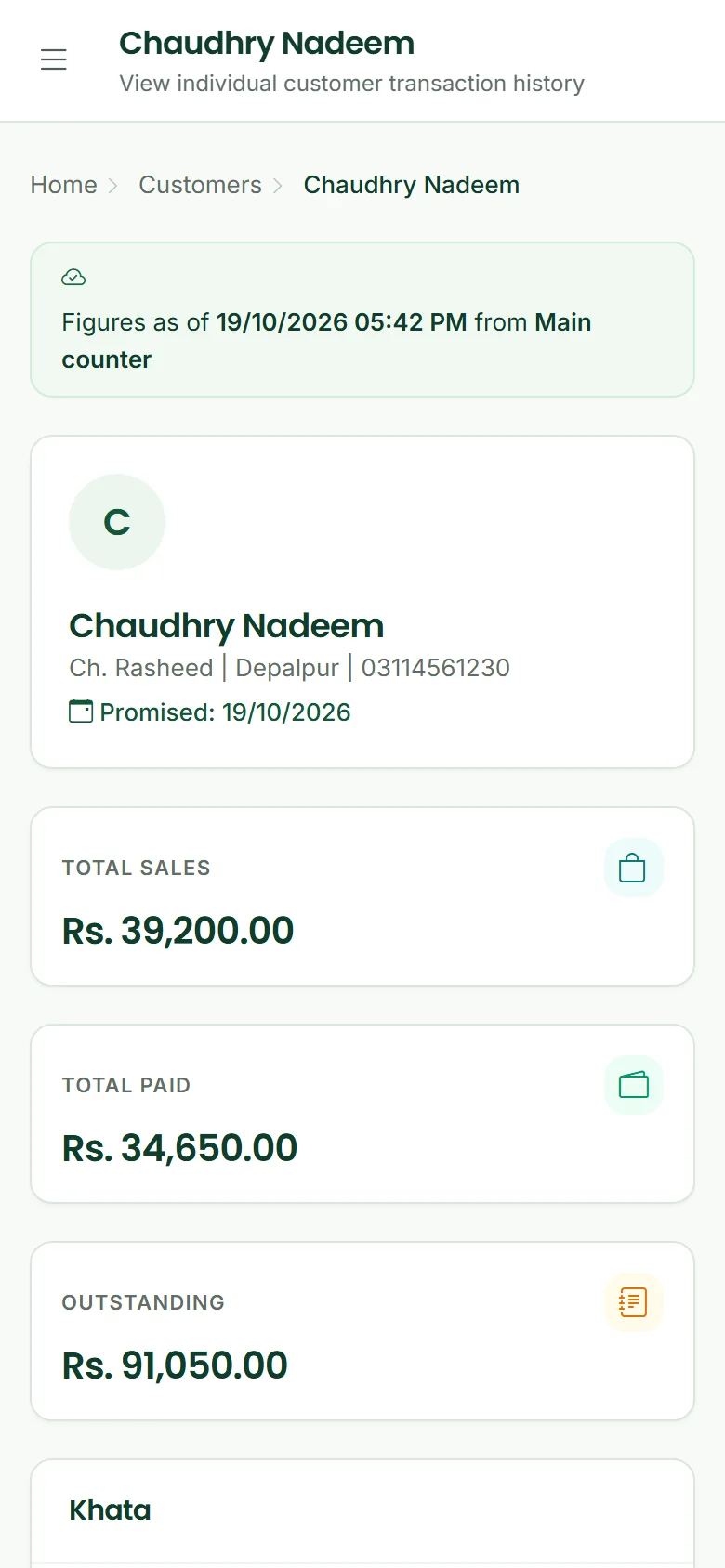
Every page says where its figures come from: "Figures as of {time} from {PC} · read-only copy; changes are made on the PC". If the shop PC has not sent anything for a day, the page warns that it "has not synced for over 24 hours", and anything done since arrives when the PC is online with Cloud Sync on.
What the web panel does not do
The web panel is read-only. You cannot make a bill, take a payment, change a price, reprint a receipt or print a register from it: all of that is done in AgroPOS on the shop PC. The Sales PDF and the inspector's registers print from the PC.
Instead of the panel, you may see:
- Cloud Sync is off for your shop: turn on Cloud Sync on the shop PC under Settings → About, or call Innobrains.
- Your shop's data is being uploaded: the first upload is still on its way.
- Renew to continue: the Cloud plan has ended. Nothing is deleted. See Cloud plan renewals, grace and lock.
- The cloud copy needs attention: call Innobrains support.
Rules and tips
- Keep the main counter online for part of each day so the web panel stays up to date.
- Watch the top bar: Offline · n waiting that does not go down means the PC has no internet.
- The account's Sync status page shows whether cloud sync is on for your shop.
- The web panel shows the owner everything, including profit and the money figures, so keep the account password to yourself.
Common questions
Can my staff sign in to the web panel?
No. The web panel has one sign-in, the shop owner's account at agropos.pk. Staff sign in to AgroPOS on the shop PC.
Can I make a bill from my phone?
No. The web panel only shows the shop. Bills, payments and every change are made in AgroPOS on the shop PC.
Does billing stop when the internet goes down?
No. AgroPOS saves every sale on the PC. The changes wait, shown as Offline with the number waiting, and go up when the internet returns.
Why are today's sales missing on the web panel?
The shop PC has not sent them yet: it may be offline, or Cloud Sync may be off on it. Check the top bar on the main counter, and the Figures as of line on the web page.
Related guides
Last updated 19 October 2026. Still stuck? Contact us or message us on WhatsApp.